Basic Operations
25
GB
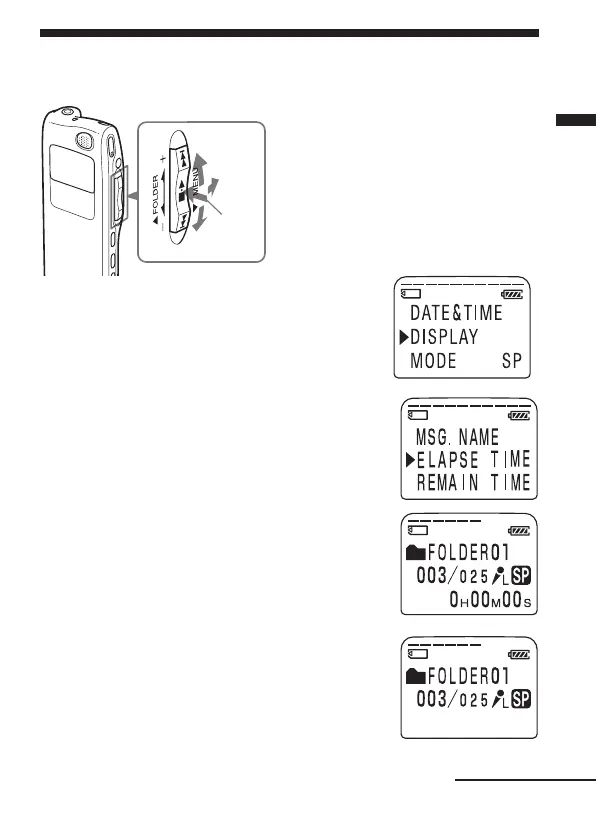
Selecting the Display Mode
You can select the display mode for stop, recording and playback modes.
2 Press the jog lever up or down (>/
.) to select “DISPLAY”.
3 Press the jog lever (x•B).
The display setting window will be
displayed.
4 Press the jog lever up or down (>/
.) to select the display mode.
The display mode changes in the order
shown in the next page.
5 Press the jog lever (x•B).
6 Turn the jog lever toward MENU.
The menu mode exits and the normal mode
is displayed.
1 On Sleep display mode
If the unit is left unused for more than 3 seconds in
the stop mode, the display will turn to sleep
display mode as shown to the right, regardless of
the display mode setting.
Continued
x•B
>
.
MENU
1 Turn the jog lever toward
MENU.
The menu mode will be
displayed.



 To Next Page