60
GB
Using the ”Digital Voice Editor“
Software
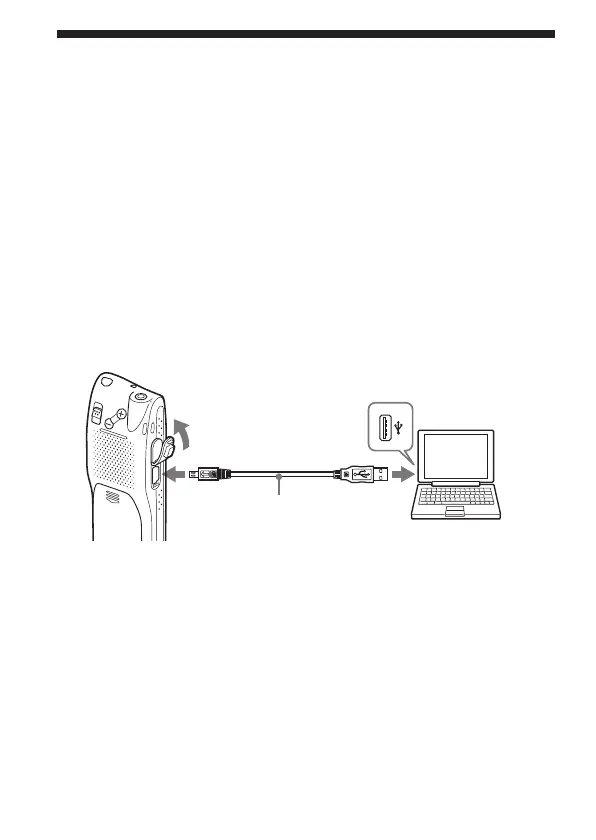
By connecting the IC recorder to your computer with the supplied USB
cable, you can use the “Digital Voice Editor” software to do the following:
•Saving the IC recorder messages on your computer’s hard disk.
•Transferring the PC messages back to the IC recorder.
•Playing or editing the messages on your computer.
•Sending a voice e-mail message using MAPI e-mail software.
•Transcribing your IC recorder message using Dragon
NaturallySpeaking
®
speech-recognition software (not supplied).
For the details, see the supplied “Digital Voice Editor 2” software
operating instructions.
Connection
To USB
connector of
your computer
To USB connector
of IC recorder
Connecting cable
(supplied)
Notes when you connect your IC recorder to the computer
• Make sure that “PC CONNECT” appears in the display window.
• When you are using the ICD-MS525, the unit may be recognized as “ICD-
MS515” with your computer. Even if this occurs, continue with your
operations.
• Do not connect headphones to the unit.
• Make sure to keep the batteries installed in the unit.



 To Next Page