42
GB
Adding Priority Mark(s)
— Priority Mark Function
Usually the recorded messages are lined up in the order of recording.
By adding priority marks (v) to important messages, you can renumber
the messages in the order of their priority. There are four levels, “vvv”
(the most important), “vv”, “v”, and no priority mark. You can add
priority marks both in the stop mode and in playback mode.
Adding Priority Mark(s) in the Stop Mode
1 Select the message you want to mark.
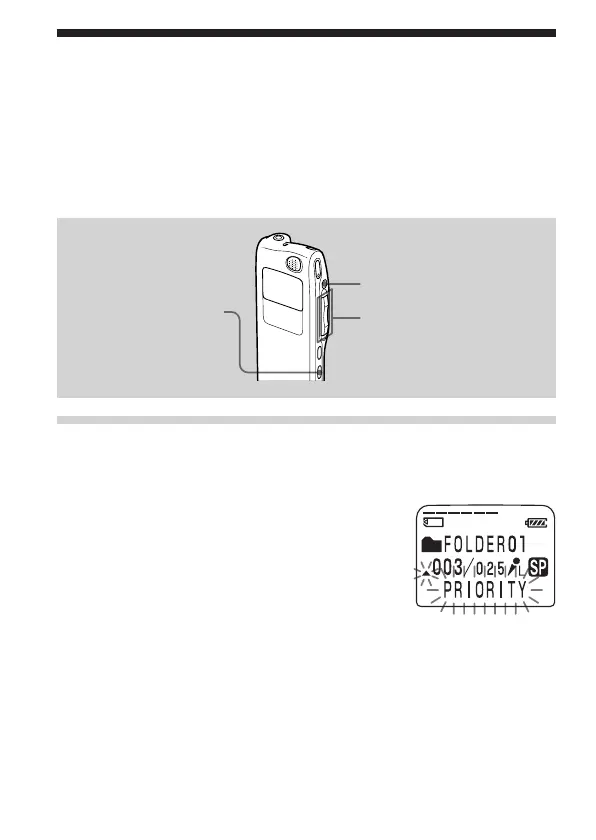
2 Press A-B REPEAT/PRIORITY for more
than 1 second.
“v” and “PRIORITY” will flash on the
display window.
3 Press A-B REPEAT/PRIORITY repeatedly to select the number
of priority mark(s) (v) while “PRIORITY“ is flashing.
The setting is finished when the priority mark(s) (v) light(s) steadily in
the display window and the messages are renumbered.
STOP
A-B REPEAT/PRIORITY
Jog lever (FOLDER/>/
./x•B)



 To Next Page