8
GB
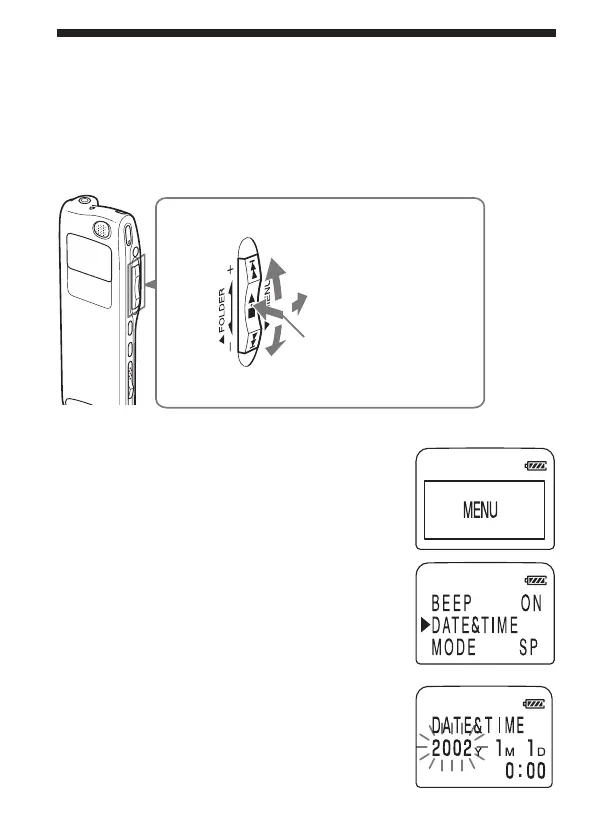
Jog lever
Step 2: Setting the Clock
You need to set the clock to use the alarm function or record the date and
time.
Clock setting display appears when you insert battery for the first time, or
when you insert battery after the unit has been without battery for a
certain period of time. In this case, proceed from step 4.
1 Turn the jog lever toward MENU.
The menu mode will be displayed in the
display window.
2
Press the jog lever up or down (>/
.) to select “DATE&TIME”.
3 Press the jog lever (x•B).
The date and time setting window is
displayed. The year digits will flash.
Press the center
(x•B).
Press up (>).
Press down (.).
Turn toward
MENU.



 To Next Page