26
GB
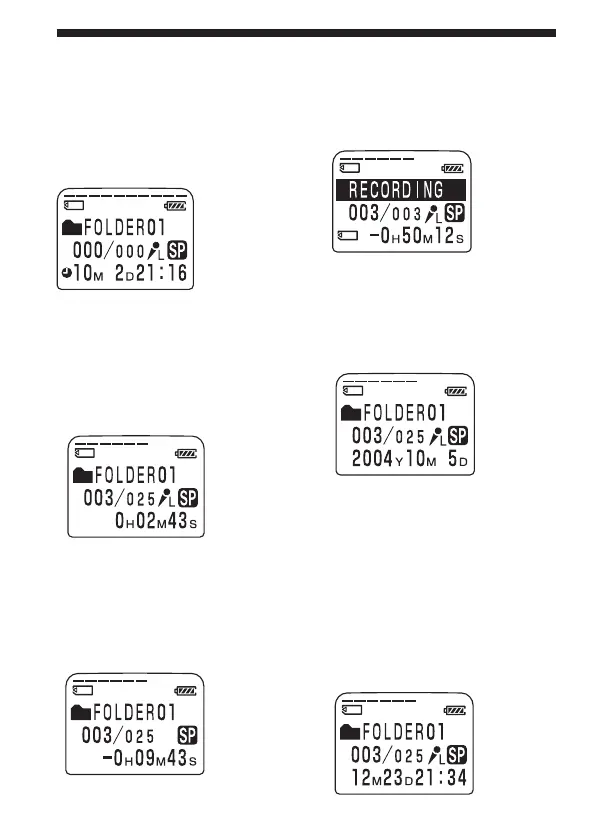
1 To display the current time
Press STOP button during the sleep
display mode. The current time will
be displayed for 3 seconds in the
display window.
You can select the display mode
from the following:
x ELAPSE TIME (counter)
Elapsed playback/recording
time of one message.
x REMAIN TIME (remaining
time)
In the playback mode: The
remaining time indication of the
message.
Selecting the Display Mode (continued)
In the stop and recording mode:
The remaining recording time
indication.
x REC DATE (recorded date)
The date the current message was
recorded.
(If the clock has not been set, “----
Y--M--D” will be displayed.)
x REC TIME (recorded date
and time)
The date and time the current
message was recorded. (If the
clock has not been set, “--M--D--:-
-” will be displayed.)
Only the starting time of the
recorded message is displayed.
The displayed time does not
advance during the recording.



 To Next Page