Additional Information
63
GB
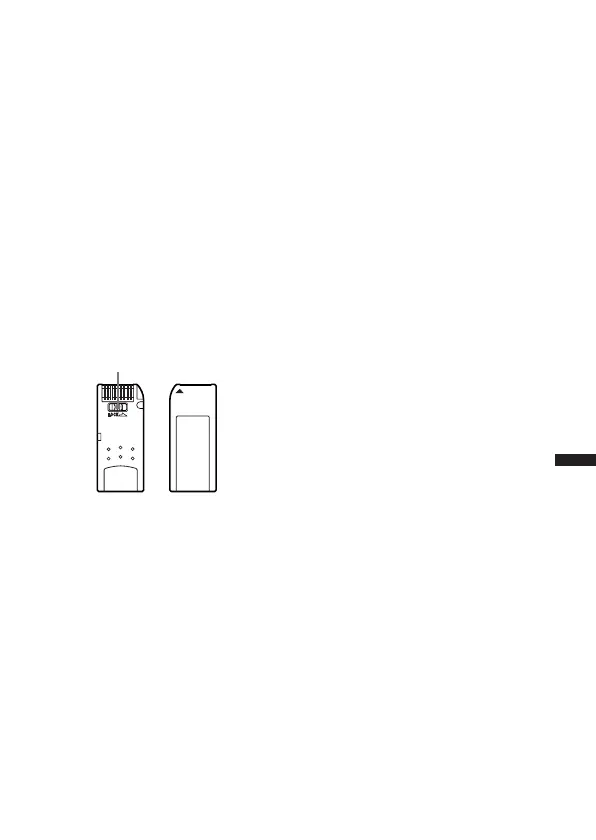
On using a “Memory Stick“
• Do not format a “Memory Stick” on your computer. When formatting a
“Memory Stick”, use the formatting function of the IC recorder.
• Do not touch or allow metallic objects to come into contact with the metal
parts of the connecting section.
• Stick the label supplied for the “Memory Stick” only on the labeling
position. Do not use any other labels.
• Do not bend, drop or apply strong shock to the "Memory Stick".
• Do not disassemble or modify the "Memory Stick".
• Do not let the "Memory Stick" get wet.
• Do not use or keep the "Memory Stick" in locations that are:
– Extremely hot such as in a car parked in the sun
– Under direct sunlight
– Very humid or subject to corrosive gases
• When you carry or store a "Memory Stick", put it in its case.
About write-protect of a “Memory Stick“
You cannot record or erase data when the write-protect switch on the
“Memory Stick” is set to “LOCK“.
Write-protect switch



 To Next Page