Help Guide
Interchangeable Lens Digital Camera
ILCE-9M3 α9III
Matching the time code with other devices
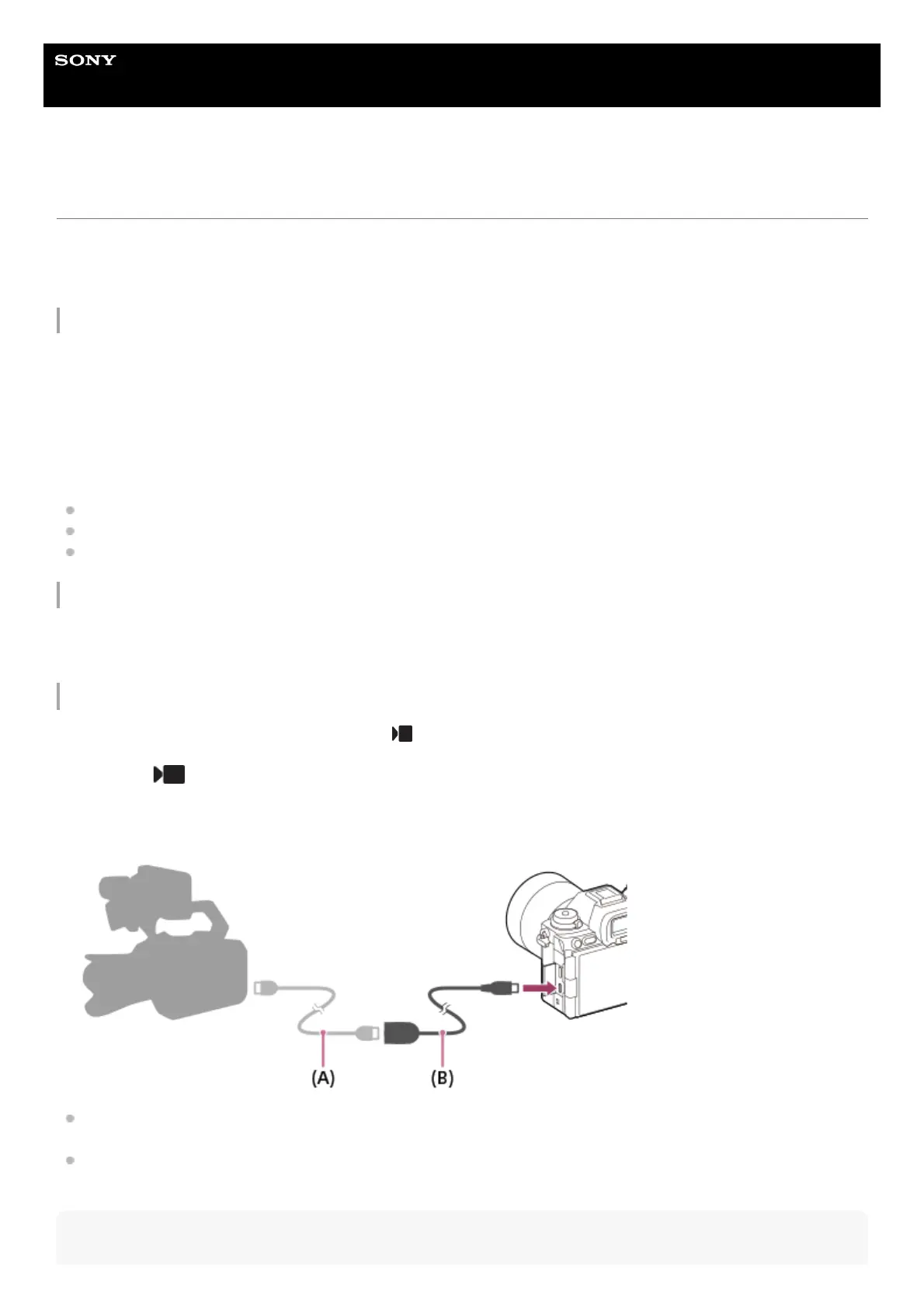
You can match the time code with devices equipped with a time code output terminal, such as camcorders, by connecting
the camera and the device. A dedicated adapter cable (sold separately) is required to connect the Multi/Micro USB
terminal of the camera to the BNC output terminal of a commercially available BNC cable.
About the dedicated adapter cable (sold separately)
You can convert the BNC terminal to a Micro USB terminal with an adapter cable (sold separately). The availability of the
adapter cable may vary depending on the country or region. Refer to the following support site for inventory confirmation
and purchase. When purchasing, please let us know the product name and product number.
Sony Support Website
https://www.sony.net/SonyInfo/Support/
Product name: Adapter cable VMC-BNCM1 (sold separately)
Product number: A-5051-506-A
Length: 0.2 m (0.6 ft)
Preparation in advance
Set the time code output device (camcorder, etc.) to the mode in which the time code always advances (Free Run or
Clock).
To match the time code
The time code of the camera will synchronize with the time code of the connected device (external lock state), and
“EXT-LK” will appear on the screen.
Once the external lock state has been set for approximately 10 seconds, it will be maintained even after the device on
the time code output side is disconnected.
Hint
Set the Still/Movie/S&Q dial on the camera to (Movie) to set the camera to the movie shooting mode.1.
MENU → (Shooting) → [TC/UB] → Set [Time Code Make] to [Preset] and [Time Code Run] to [Free Run].2.
Connect the BNC output terminal of the BNC cable (A) to the Multi/Micro USB terminal of the camera with the
adapter cable (B).
3.



 To Next Page