Help Guide
Interchangeable Lens Digital Camera
ILCE-9M3 α9III
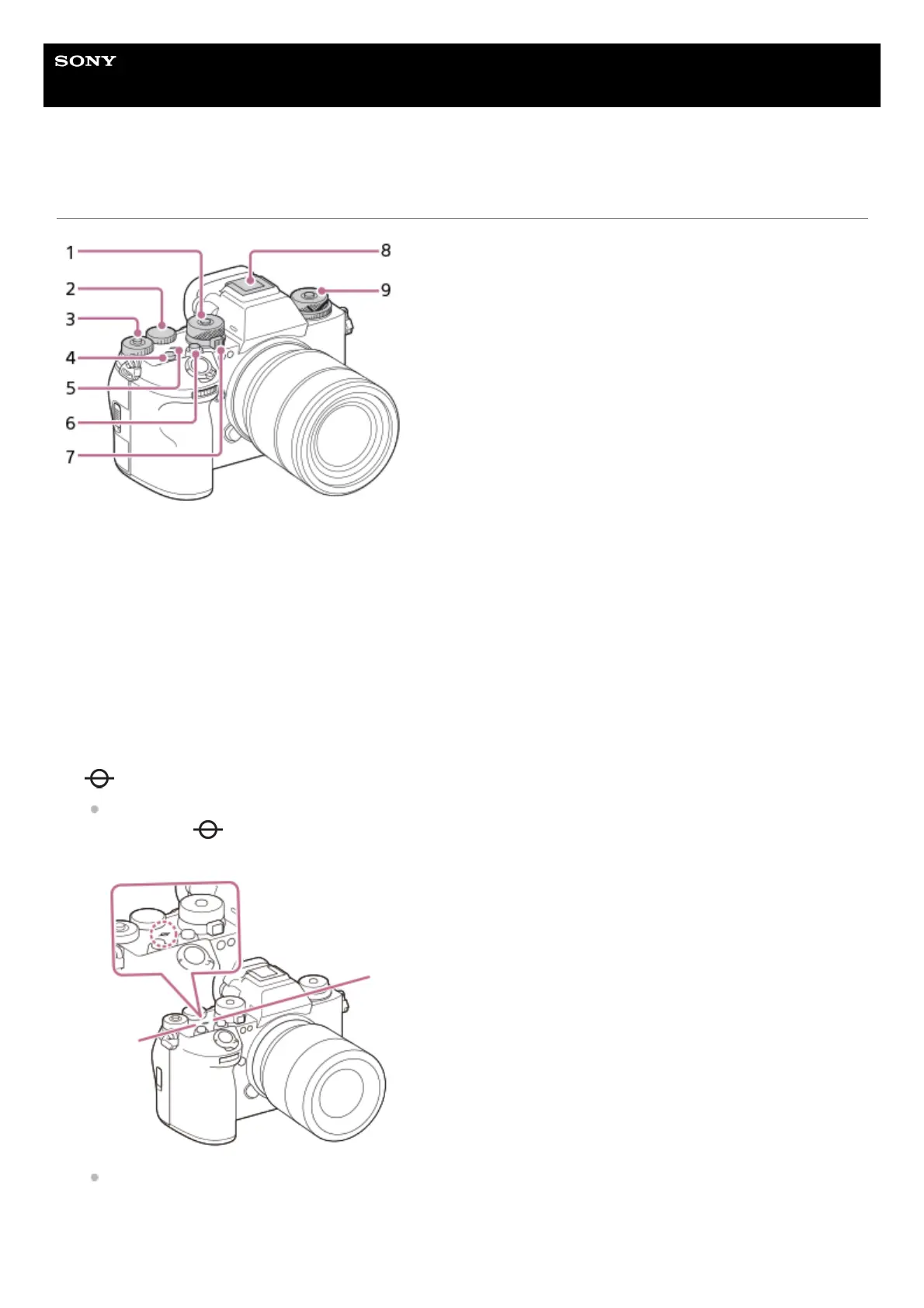
Top side
Mode dial
The mode dial is unlocked for as long as you press the lock release button in the center of the dial.
1.
Rear dial L
You can quickly adjust the settings for each shooting mode.
2.
Rear dial R
You can quickly adjust the settings for each shooting mode.
Pressing the lock button at the center switches the dial between the locked and unlocked status. The dial is unlocked
when the lock button is popped up and the white line is visible.
3.
C1 button (Custom button 1)4.
Image sensor position mark
The image sensor is the sensor that converts light into an electric signal. The position of the image sensor is
indicated by (Image sensor position mark). When you measure the exact distance between the camera and
the subject, refer to the position of the horizontal line.
If the subject is closer than the minimum shooting distance of the lens, the focus cannot be confirmed. Make sure
you put enough distance between the subject and the camera.
5.
C2 button (Custom button 2)6.



 To Next Page