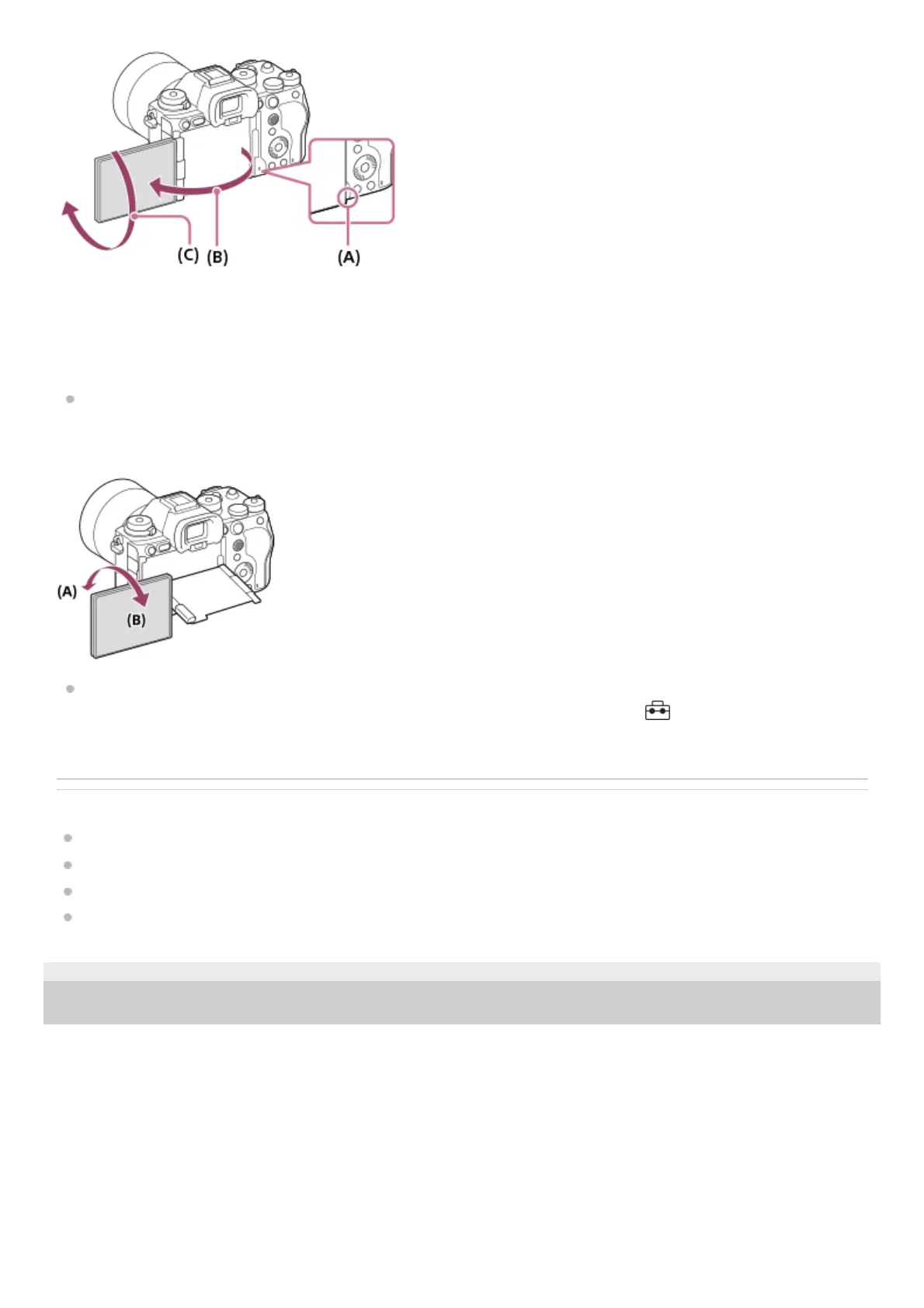
(A): Where to place your fingers
(B): Approx. 180°
(C): Approx. 270°
When you want to switch the display orientation to the self-portrait mode with the monitor pulled out, rotate the
monitor all the way in the direction of (A). If you want to cancel the display orientation for the self-portrait mode, rotate
the monitor all the way in the direction of (B) (when [Monitor Flip Direction] is set to [Auto]).
In the default settings, the inversion of the display is automatically switched on and off depending on how the monitor
is positioned. You can lock the display method with the following settings: MENU → (Setup) → [Finder/Monitor]
→ [Monitor Flip Direction].
Related Topic
Front side
Top side
Sides
Bottom
TP1001273190
5-056-662-11(1) Copyright 2023 Sony Corporation



 To Next Page