Help Guide
Interchangeable Lens Digital Camera
ILCE-9M3 α9III
Still/Movie/S&Q dial and mode dial
You can use the Still/Movie/S&Q dial and mode dial to select a shooting mode according to the subject and purpose of
shooting.
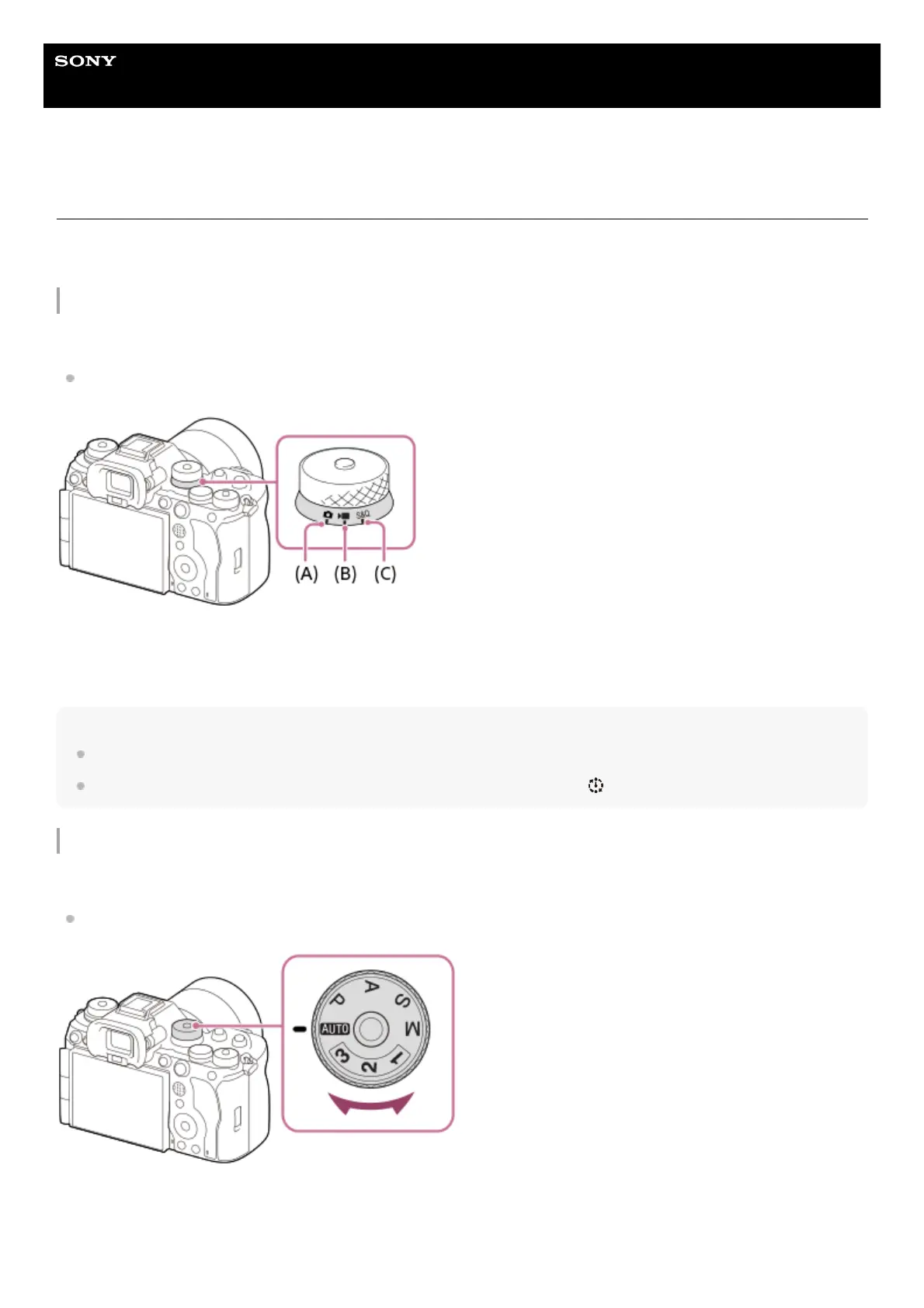
Still/Movie/S&Q dial
Use the Still/Movie/S&Q dial to select a shooting mode.
Turn the Still/Movie/S&Q dial while pressing the lock release button on the front of the Still/Movie/S&Q dial.
(A) Still image shooting mode
(B) Movie recording mode
(C) Slow-motion/quick-motion shooting mode
Hint
The displayed menu items vary depending on the Still/Movie/S&Q dial position.
When shooting a time-lapse movie, set the Still/Movie/S&Q dial to S&Q, and select [ Time-lapse].
Mode dial
The exposure mode you select determines how the aperture (F value) and shutter speed are adjusted.
Turn the mode dial while pressing the mode dial lock release button in the center of the mode dial.



 To Next Page