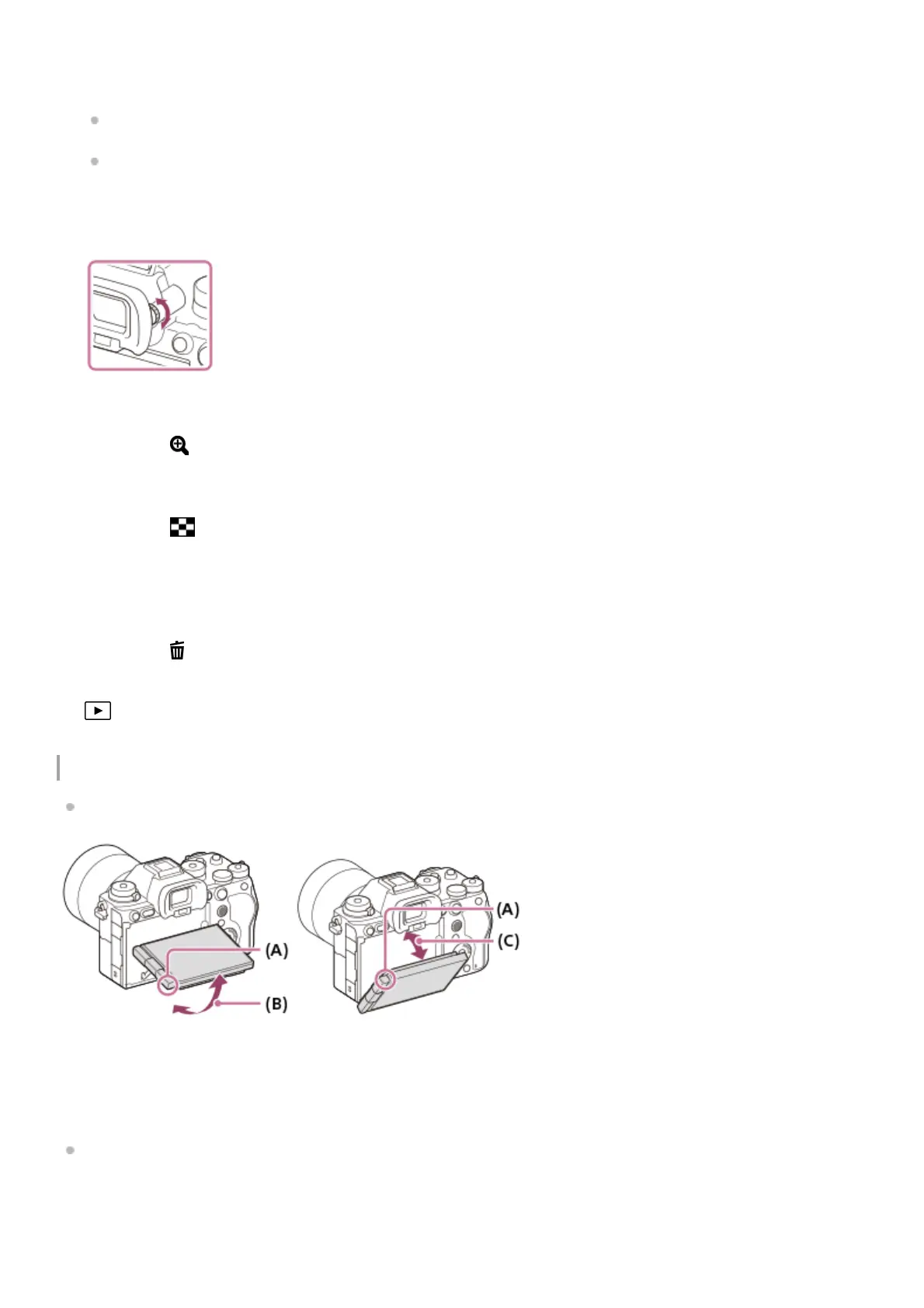
Adjusting the monitor angle
When holding the camera in the high or low position, pull the monitor toward you to adjust the angle.
(A): Where to place your fingers
(B): Approx. 98° from the rear surface of the camera
(C): Approx. 40° from the rear surface of the camera
In the self-portrait position with the monitor open sideways and the lens facing toward you, the monitor image is
flipped horizontally. Rotate the monitor backwards to cancel the flipped display.
You can adjust the monitor to an easily viewable angle and shoot from any position. For details, see “Adjusting the
monitor angle.”
You may not be able to adjust the monitor angle depending on the type of a tripod you use. In such a case,
release the tripod screw once to adjust the monitor angle.
Do not apply excessive force when opening, closing, or rotating the monitor. Doing so may cause a malfunction.
Diopter-adjustment dial
Adjust the diopter-adjustment dial according to your eyesight until the display appears clearly in the viewfinder.
If it is hard to operate the diopter-adjustment dial, remove the eyepiece cup before operating the dial.
7.
MOVIE (Movie) button8.
For shooting: AF-ON (AF On) button
For viewing: (Enlarge) button
9.
For shooting: AEL button
[AEL hold] is assigned to the AEL button in the default settings.
For viewing: (Image index) button
10.
Multi-selector11.
Fn (Function) button12.
Control wheel13.
For shooting: C4 button (Custom button 4)
For viewing: (Delete) button
14.
Access lamp15.
(Playback) button16.
Microphone for the voice memo function17.



 To Next Page