Help Guide
Interchangeable Lens Digital Camera
ILCE-9M3 α9III
Assigning frequently used functions to buttons and dials (Custom Key/Dial Set.)
You can use the custom key function to assign the functions you use most frequently to easily operable buttons and dials.
This lets you skip the process of selecting items from MENU, so you can recall the functions more quickly.
You can separately assign functions to custom keys for the still image shooting mode, movie shooting mode, and
playback mode.
Assignable functions vary depending on the buttons or dials.
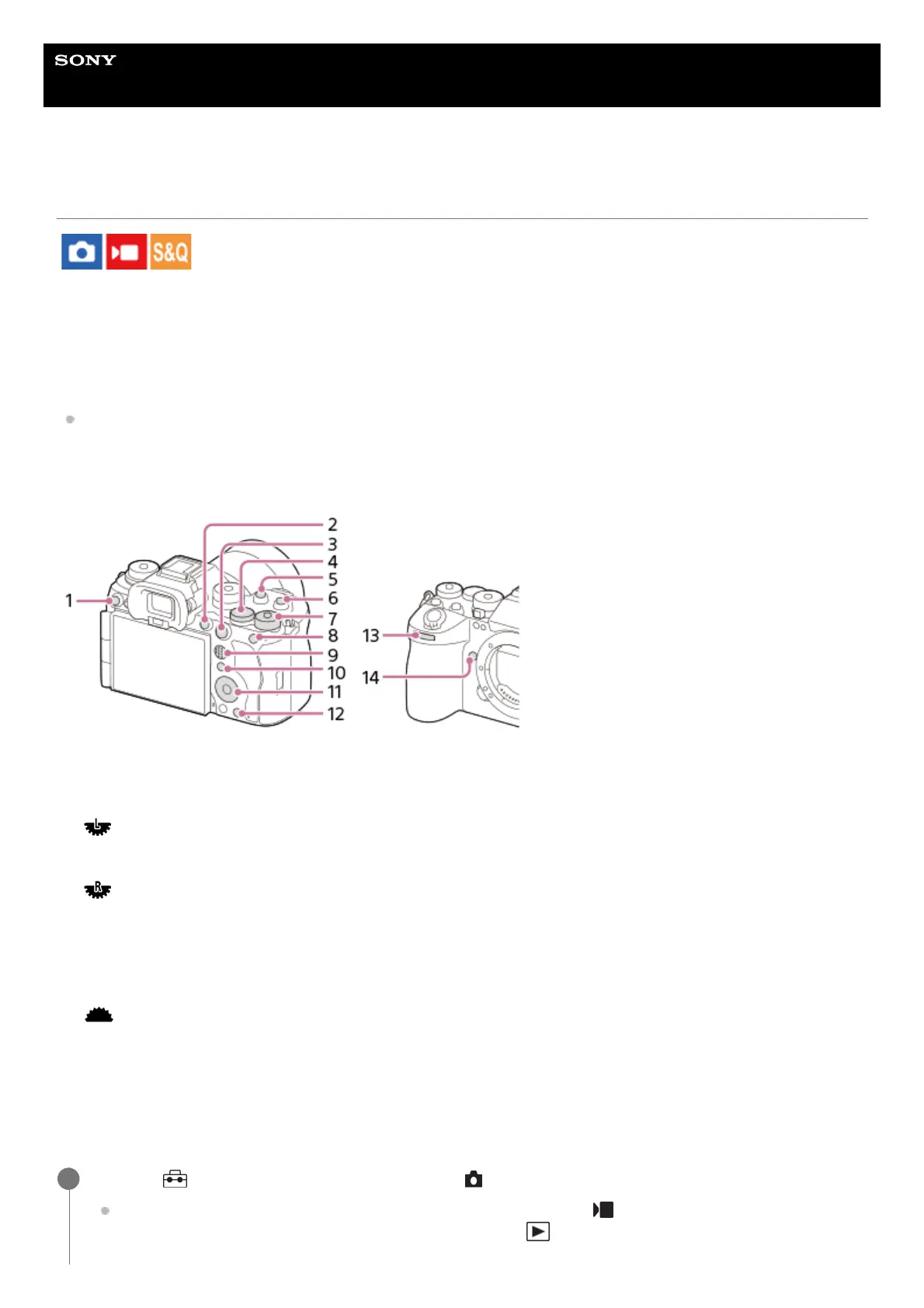
You can assign functions to the following buttons and dials.
For details on custom key settings, refer to the following URL:
https://support.d-imaging.sony.co.jp/support/tutorial/ilc/ilce-9m3/l/custom.php
The following is the procedure for assigning the [Subject Recognition AF] function to the AEL button.
Custom Button 31.
MOVIE Button2.
AF-ON Button3.
Rear Dial L4.
Custom Button 25.
Custom Button 16.
Rear Dial R7.
AEL Button8.
Multi-Slc Center Btn9.
Fn Button10.
Control Wheel/Center Button/Left Button/Right Button/Down Button11.
Custom Button 412.
Front dial13.
Custom Button 514.
MENU → (Setup) → [Operation Customize] → [ Custom Key/Dial Set.].
If you want to assign a function to recall while shooting movies, select [ Custom Key/Dial Set.]. If you want to
assign a function to recall while playing back images, select [ Custom Key Setting].
1



 To Next Page