Help Guide
Interchangeable Lens Digital Camera
ILCE-9M3 α9III
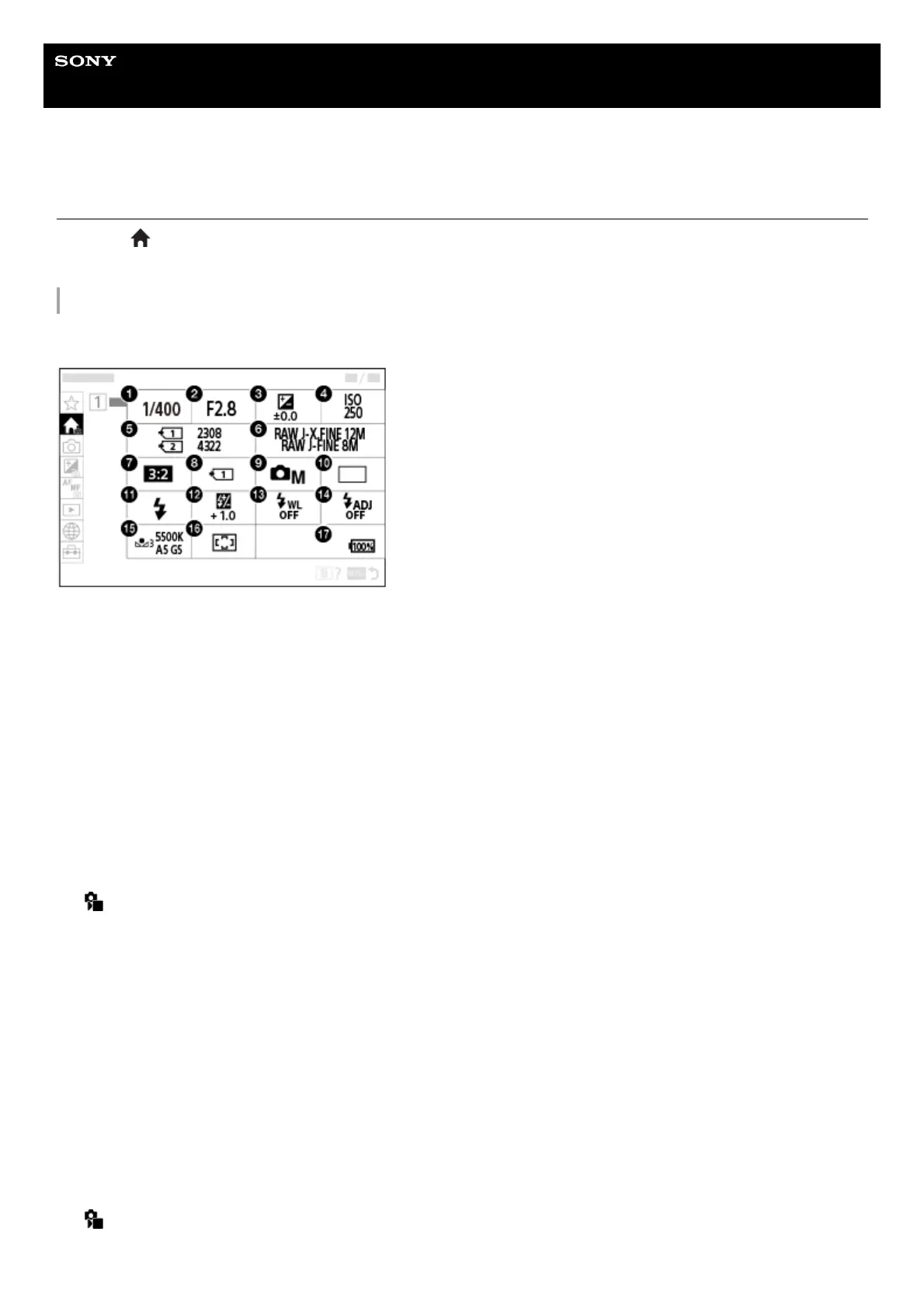
Main menu (shooting setting list)
Select the (Main) tab on the menu screen to display a list of shooting settings. You can confirm the settings before
shooting or for each scene, and also change the settings directly from this screen.
Main menu for shooting still images
Main 1
Shutter Speed
*
1.
Aperture
*
2.
Exposure Comp.3.
ISO4.
Format5.
Image Quality Settings6.
Aspect Ratio7.
Rec. Media Settings8.
Shoot Mode9.
Drive Mode10.
Flash Mode11.
Flash Comp.12.
Wireless Flash13.
Flash Timing Setting14.
White Balance15.
Focus Area16.



 To Next Page