Help Guide
Interchangeable Lens Digital Camera
ILCE-9M3 α9III
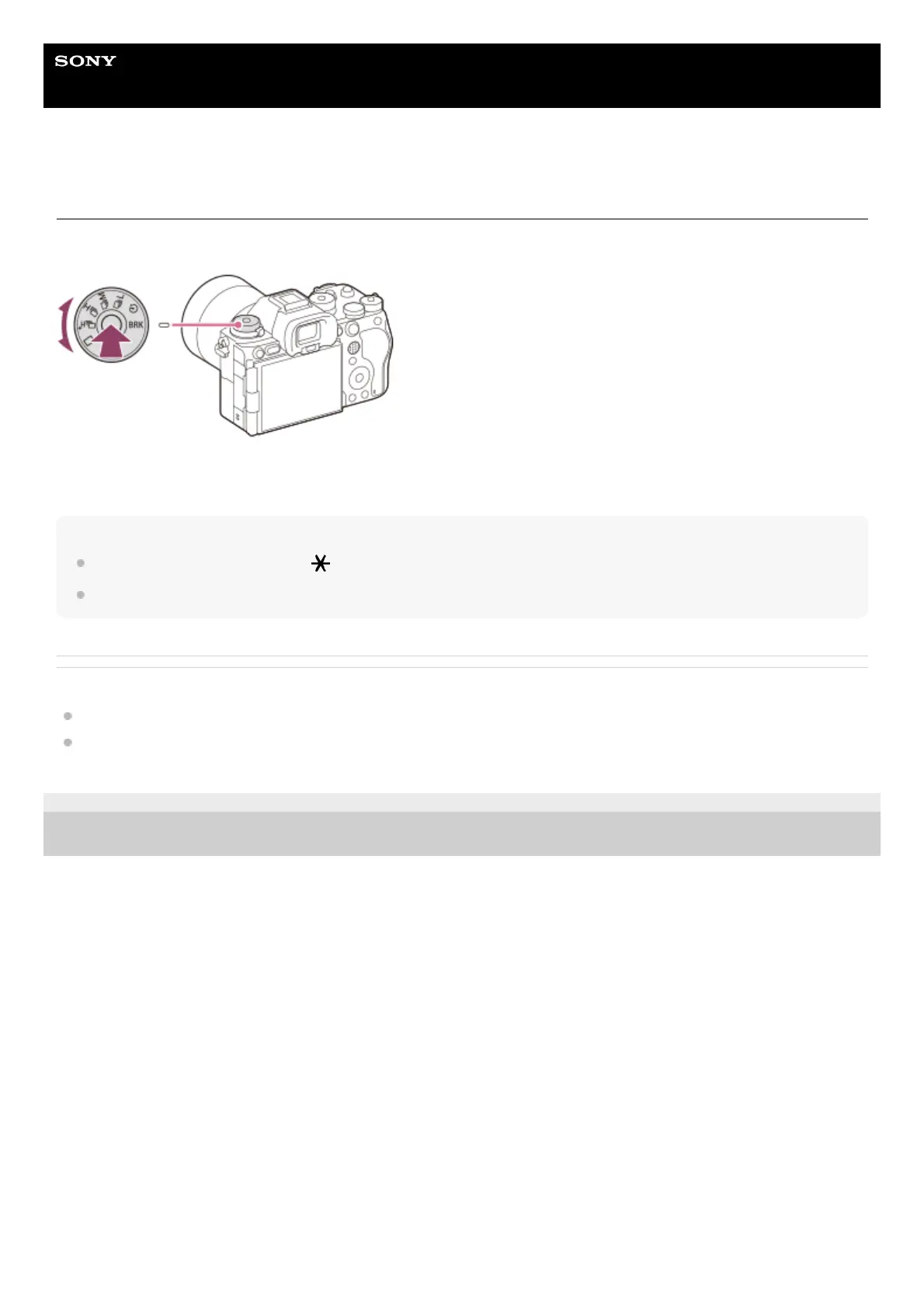
Drive mode dial
Use the drive mode dial to select a drive mode according to the subject and the shooting scenario.
Turn the drive mode dial while holding down the drive mode dial lock release button in the center to select the desired
mode.
Hint
When you set the drive mode dial to (disable), you can set the drive mode by using [Drive Mode] in MENU.
You can set the continuous shooting speed using [Cont. Shooting Speed].
Related Topic
Drive Mode
Cont. Shooting Speed
TP1001169094
5-056-662-11(1) Copyright 2023 Sony Corporation



 To Next Page