Help Guide
Interchangeable Lens Digital Camera
ILCE-9M3 α9III
Charging the battery with a commercially available AC adaptor or mobile battery
You can use a USB cable (commercially available) to charge from an external power source, such as a USB AC adaptor
or mobile battery.
When a device compatible with USB-PD (USB Power Delivery) is connected to the camera, fast charging is possible.
Note
When you use an AC adaptor, use one with a rated output of 1.5 A or higher.
Use a nearby wall outlet (wall socket) when using the AC Adaptor/Battery Charger. If any malfunction occurs, disconnect the plug
from the wall outlet (wall socket) immediately to disconnect from the power source. If you use the product with a charge lamp,
note that the product is not disconnected from the power source even when the lamp turns off.
If you turn on the camera, power will be supplied from the wall outlet (wall socket) and you will be able to operate the camera.
However, the battery pack will not be charged.
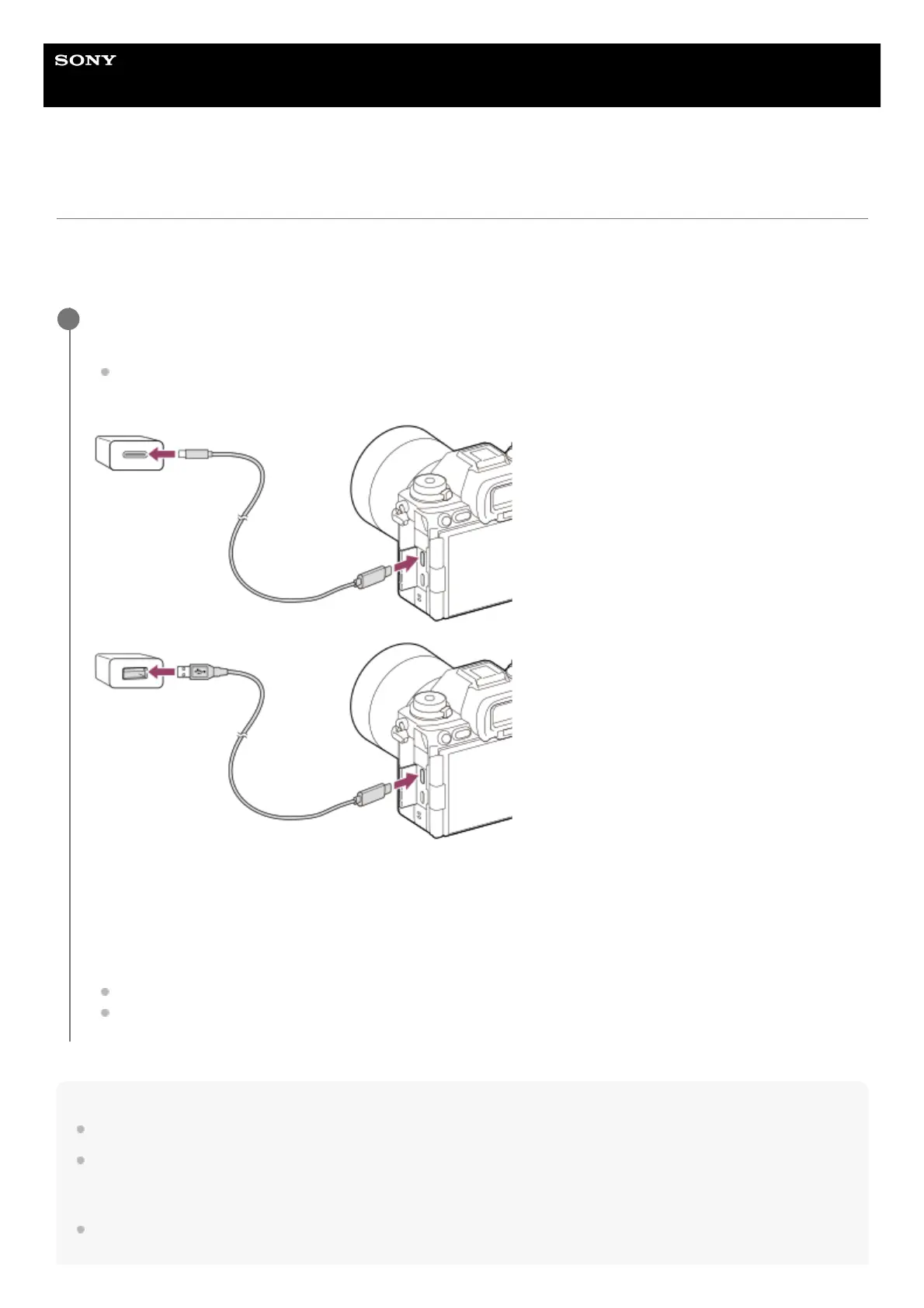
Turn off the camera, and connect an external power source to the USB Type-C terminal on the camera using
a USB cable (commercially available).
Use a USB Type-C (C-C) cable when connecting to a device compatible with USB PD. Use a USB Type-C (A-C)
cable when charging using a device that is not compatible with USB PD.
Charge lamp on the camera (orange)
Lit: Charging
Off: Charging finished
Flashing: Charging error or charging paused temporarily because the camera is not within the proper temperature
range
The charge lamp turns off when charging is completed.
If the charge lamp lights up and then immediately turns off, the battery pack is fully charged.
1



 To Next Page