134
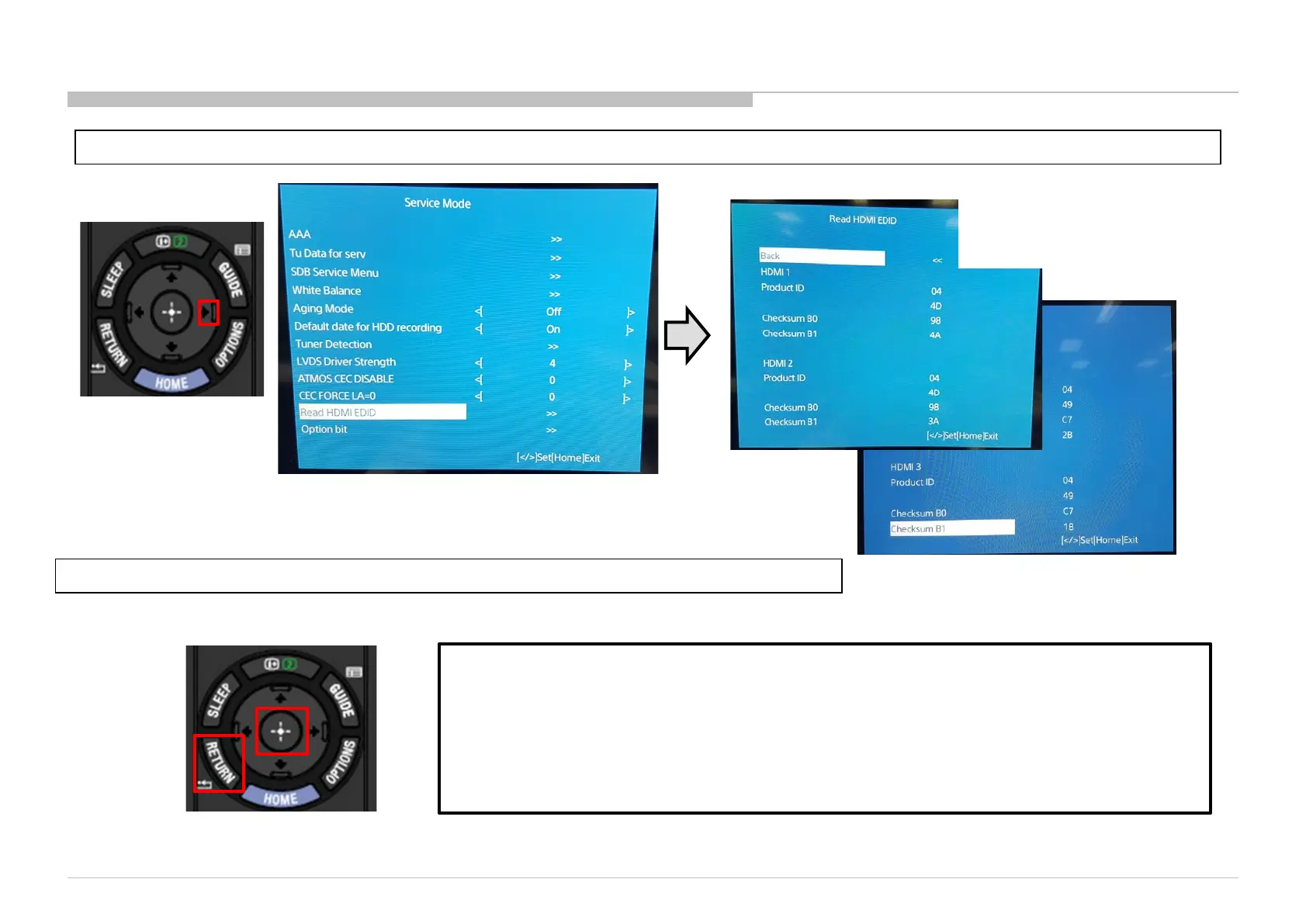
03.16 Read HDMI EDID
1) Go to “Read HDMI EDID” and Press “” button to enter “Read HDMI EDID” display
2) Press “Enter” at back selection to return to Service Mode Menu or “Return” button to exit.
Read_HDMI_EDID
Purpose : To read HDMI EDID data without using any external equipment.
Usage:
1) When market claim or product ship out happen, Service side and Production side can easily read
the EDID without disassembling rear cover.
2) To simplify EDID checking.
Scroll the “Read HDMI EDID”
display using “” or “” button
to view more HDMI EDID.












 To Next Page