24
Operating Instructions
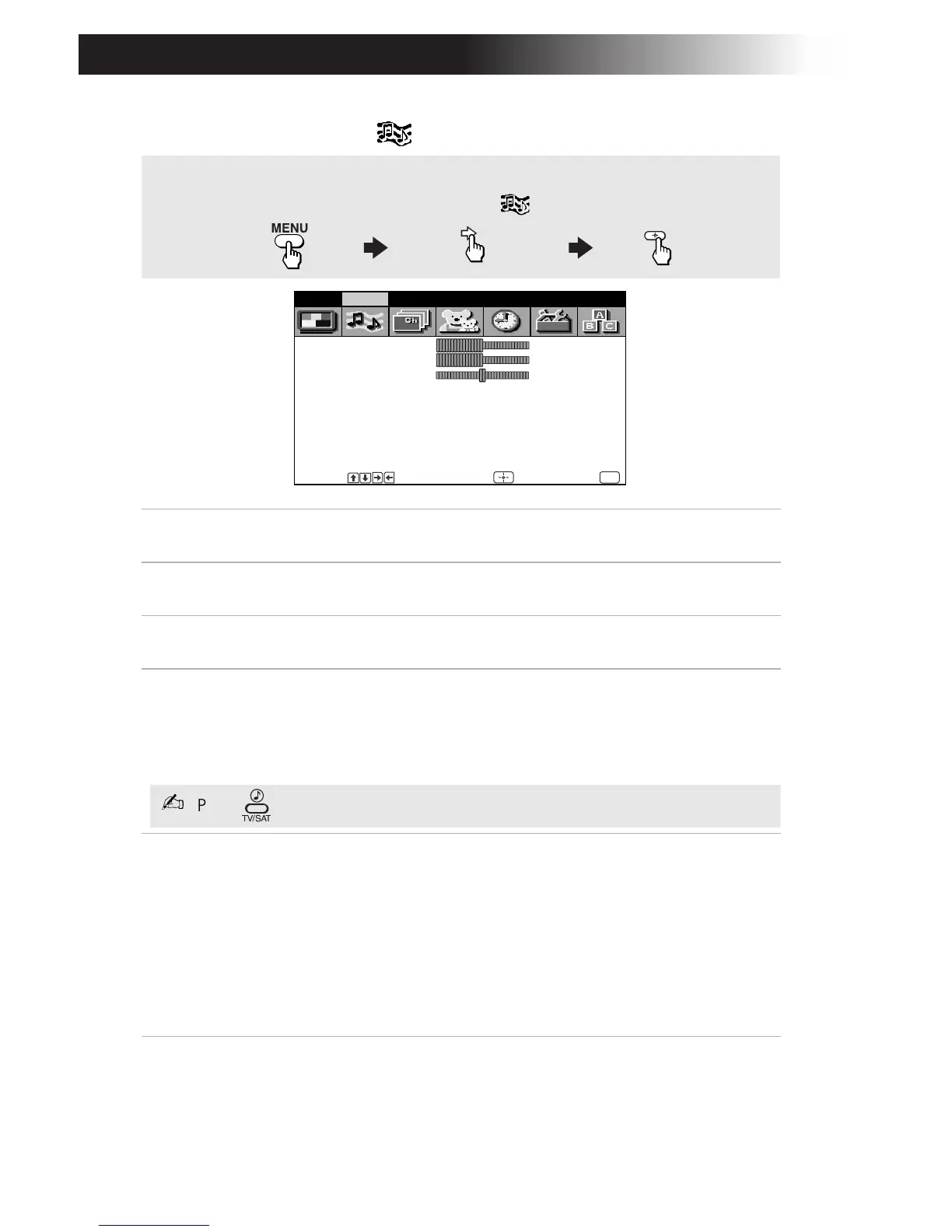
Using the Audio Menu
Treble
Press G to decrease the higher pitched sound.
Press
g to increase the higher pitched sound.
Bass
Press
G to decrease the lower pitched sound.
Press
g to increase the lower pitched sound.
Balance
Press
G to emphasize the left speaker sound.
Press
g to emphasize the right speaker sound.
Steady Sound
Stabilizes volume
KV-27FV17 only
Press F or to select one of the following options:
ON: Select to stabilize the volume when changing
channels.
OFF: Select to turn Steady Sound off.
Effect
Press
F or to select one of the following options:
OFF: Normal stereo or mono reception.
SRS: Produces a dynamic three-dimensional sound for
stereo audio signals (KV-27FV17 only).
Simulated: Add a surround-like effect to mono programs
(KV-27FV17 only).
Surround: Simulates theater quality sound for stereo
programs (KV-27FS13, KV-27FS17, KV-32FS13, KV-32FS17
only).
To access the Audio menu, refer to the following steps:
To highlight To display
To select
Treble
Bass
Balance
Steady Sound: OFF
Effect: OFF
MTS: Stereo
Speaker: ON
Audio Out: Variable
Video Audio Channel Parent Timer Setup Basic
Move Select End
MENU
F
Press for a direct selection of Steady Sound settings.
F













 To Next Page