MHC-V5
32
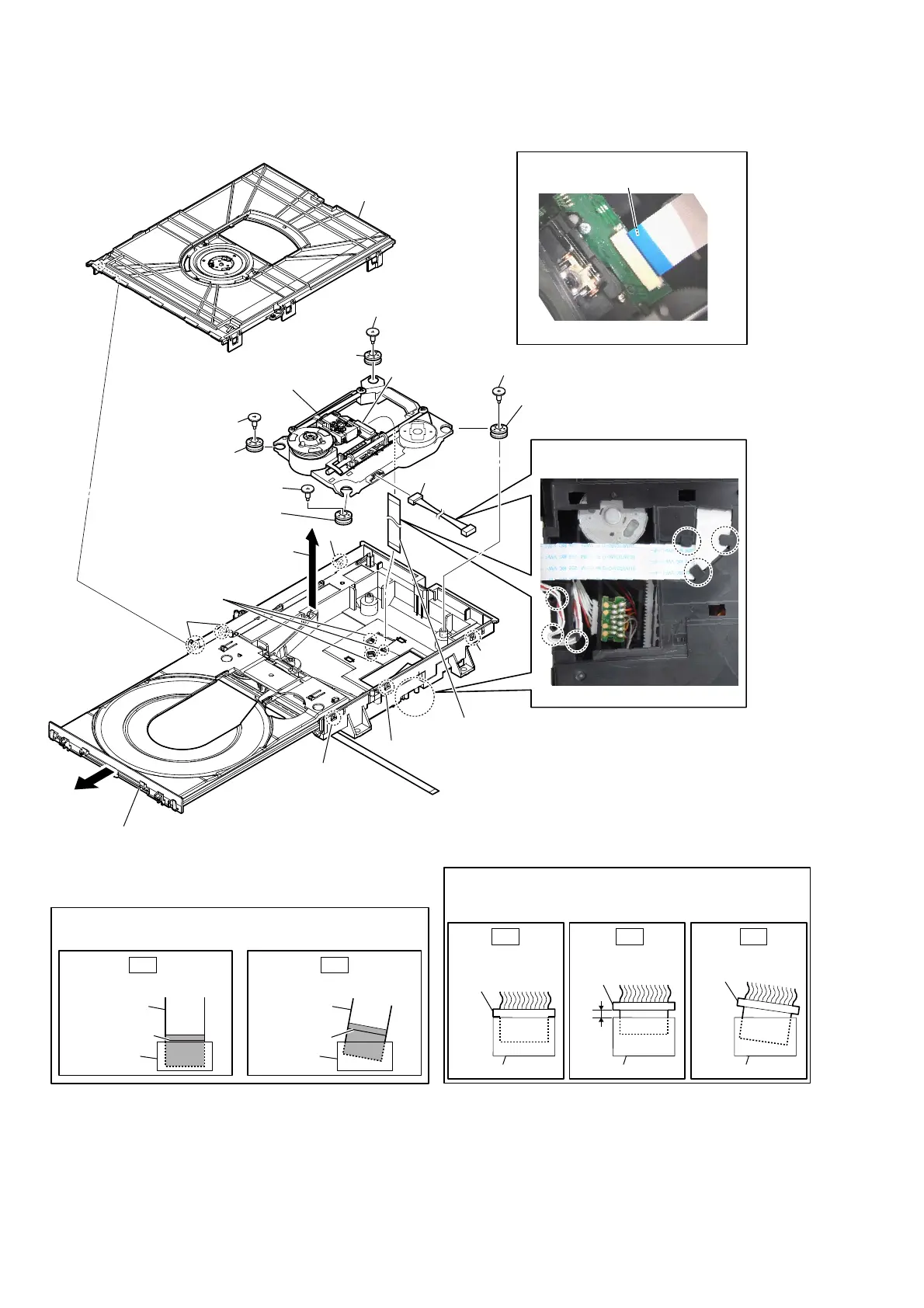
2-28. OPTICAL PICK-UP (CMS-S76RFS7G) (OP1)
5 insulator
screw
5 insulator screw
5 insulator
screw
5 insulator screw
8 flexible flat cable (24 core)
(FFC1)
9 connector
7 connector
0 insulator
0 insulator
0 insulator
0 insulator
qa optical pick-up
(CMS-S76RFS7G)
(OP1)
6
Remove the
optical pick-up
block
in the direction of the arrow.
4
three
claws
WireVeWWiQJ
)Oe[iEOeIODWFDEOeFRreVeWWiQJ
1
claw
1
claw
1
claw
1
two
claws
1
claw
2
chuck holder block
±BRWWRPYieZ–
Note 1:
When installing the flexible flat cable,
ensure that
the colored line is not slanted after insertion.
colored line
colored line
Insert is straight to the interior. Insert is incline
flexible flat
cable
flexible flat
cable
connectorconnector
OK NG
Note 2:
When you install the connector, please install them correctly.
There is a possibility that this machine damages when not
correctly installing it.
Insert is shallow
Insert is straight
to the interior.
connector
Insert is incline
connector
connector
connector
connector connector
OK NG NG
terminal face is below side.
–7RSYieZ–
3
Draw out the tray.
Note 3:
When you can not draw out the tray,
please refer to “HOW TO OPEN THE TRAY
WHEN POWER SWITCH TURN OFF” on page 6.



 To Next Page
 Loading...











