User's manual Sony Personal Navigation System
Useful functions for navigation - 79 -
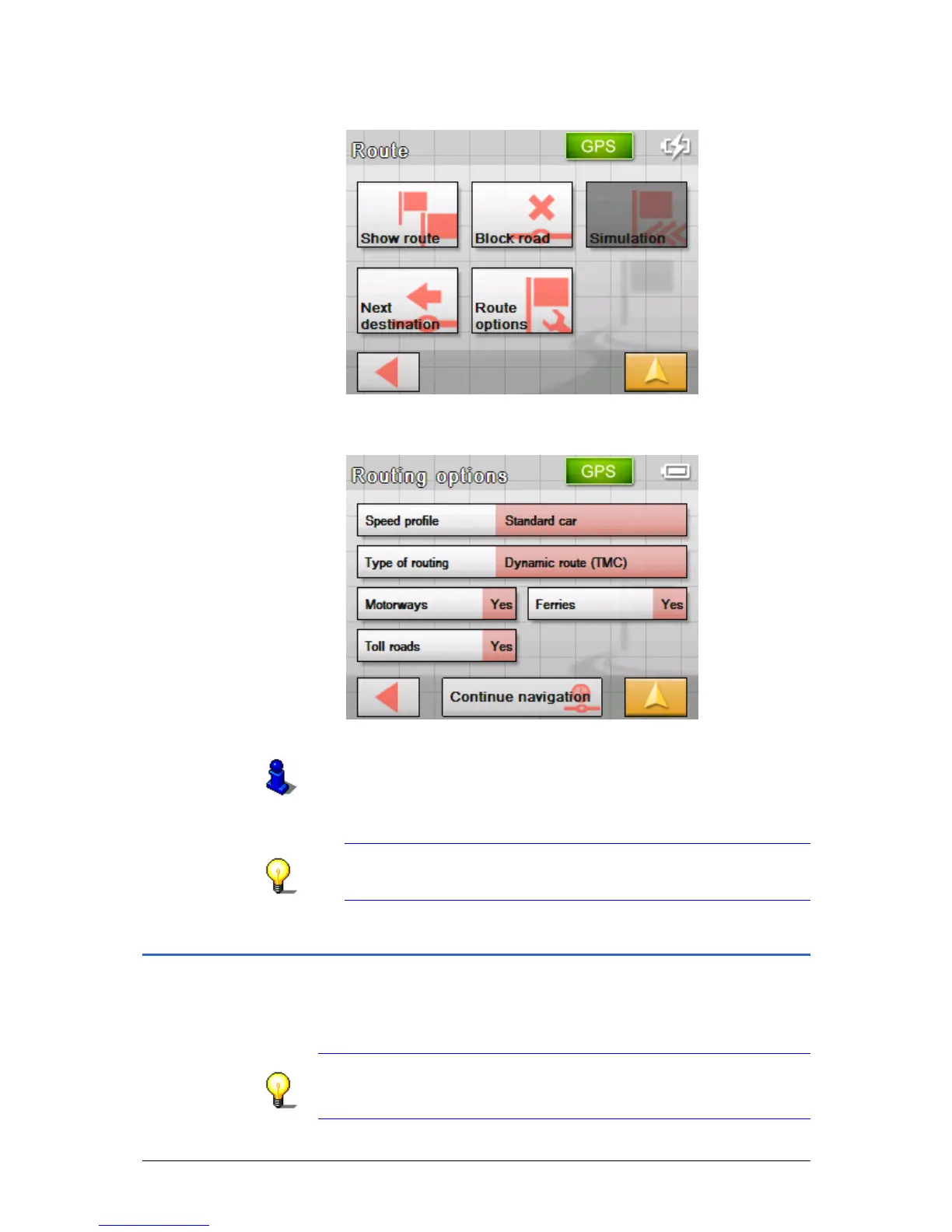
The ROUTE screen opens.
3. Tap on the Route options button.
The R
OUTING OPTIONS screen opens.
4. Carry out the required change to the route options.
Refer to chapter "
Routing options" on page 88 for detailed
information on changing route options.
The route is recalculated. The navigation continues taking into
consideration the new route options.
Note: these changes apply only to the current navigation.
After this the settings that have been established in the
R
OUTING OPTIONS screen shall apply.
Simulation
Overview Once you have planned and calculated a route, you can launch a
simulated navigation. Refer to chapter "
Simulating the route" on
page
57 for more information.
Note: The reception of GPS-signals is not necessary for the
simulation.
Simulation is restricted to routes of 60 miles max.



 To Next Page