User's manual Sony Personal Navigation System
Useful functions for navigation - 81 -
Considering TMC information for route calculation
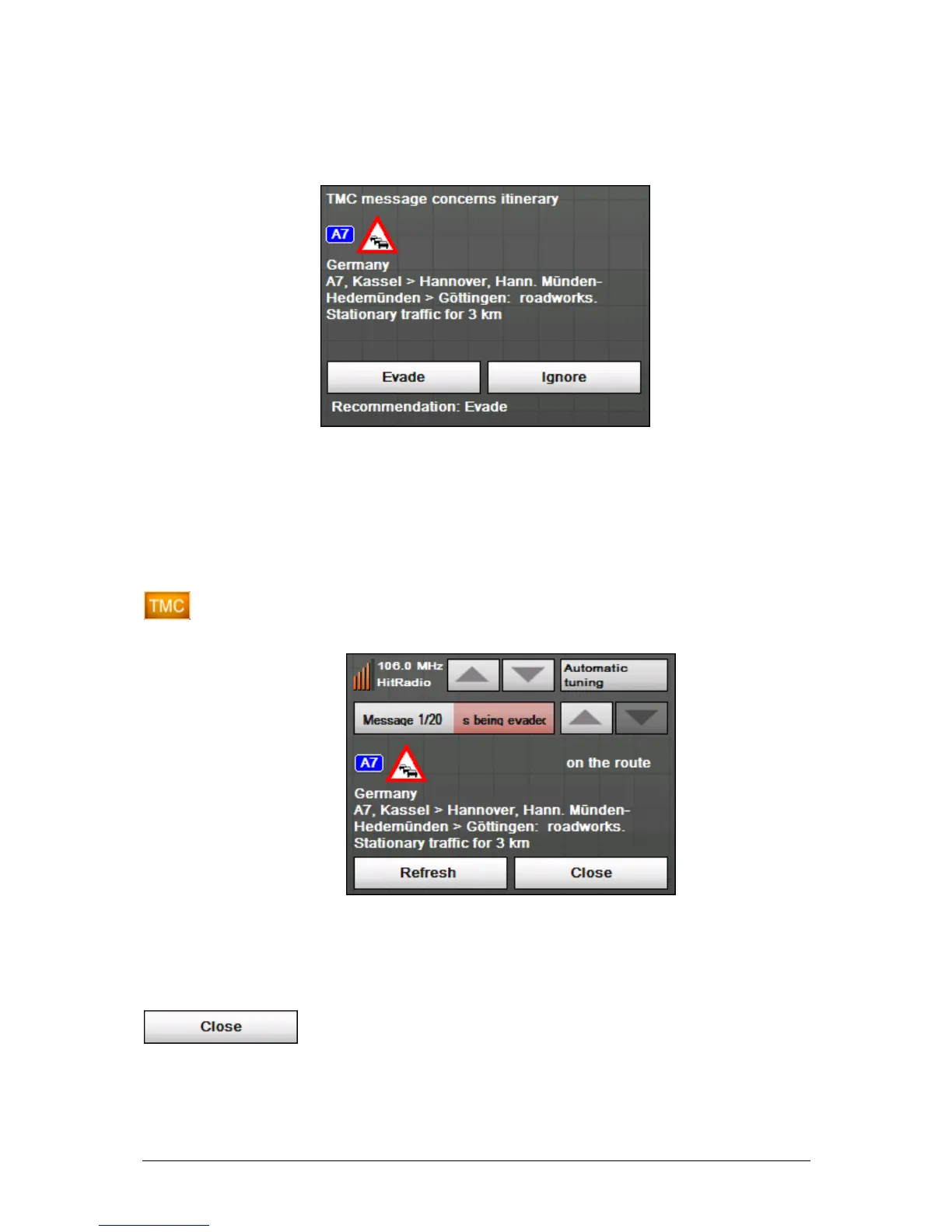
The following screen informs you about a reported instruction
concerning your route:
Evade Tap the Evade button to evade the reported obstruction.
The route will be recalculated in order to evade the obstruction.
Ignore Tap the Ignore button to ignore the reported obstruction.
Considering TMC
information at a later
moment
If you have selected "Route modification With confirmation",
you may evade or ignore a reported obstruction at a later
moment. Proceed as follows:
1. Tap the TMC symbol.
The TMC screen opens:
2. Use the arrow icons of the "Messages" section to search for
an obstruction concerning your route. These obstructions are
labelled "on the route".
3. Tap the Status button and select whether the respective
obstruction is to be Evaded or Ignored.
4. Tap the Done icon to update the route. The system
recalculates the route if necessary.
Tuning
Tuning 1. Tap the Tuning button to toggle between the Auto tuning,



 To Next Page