23
GB
Basic Operations
Starting recording (automatic recording)
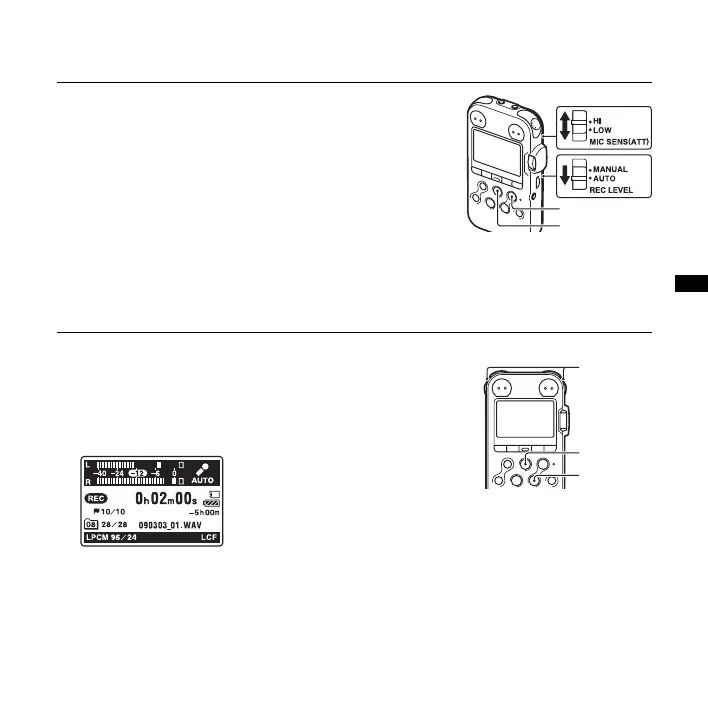
1 Set the REC LEVEL switch to “AUTO,” and press
z REC in the stop mode to enter the recording standby
mode.
The
z REC indicator lights in red and the X PAUSE
indicator flashes in orange (Recording Standby mode).
When you select “AUTO,” the recording level will be
adjusted automatically.
The REC LEVEL dial adjustment is enabled when you
select “MANUAL.”
You can change the microphone sensitivity with the
MIC SENS(ATT) switch.
2 Turn the built-in microphones in the direction of the
source to be recorded, and press
X PAUSE, or
N PLAY/ENTER.
Recording starts. The new track will be recorded at the
end in the selected folder.
z REC
X PAUSE
Built-in
micro-
phones
X PAUSE
N PLAY/
ENTER
LR



 To Next Page