46
GB
Recording via Other Devices
Recording with an external
microphone
You can record from an external
microphone. When an external microphone
is connected, the built-in microphones and
the input from the LINE IN jack become
disabled.
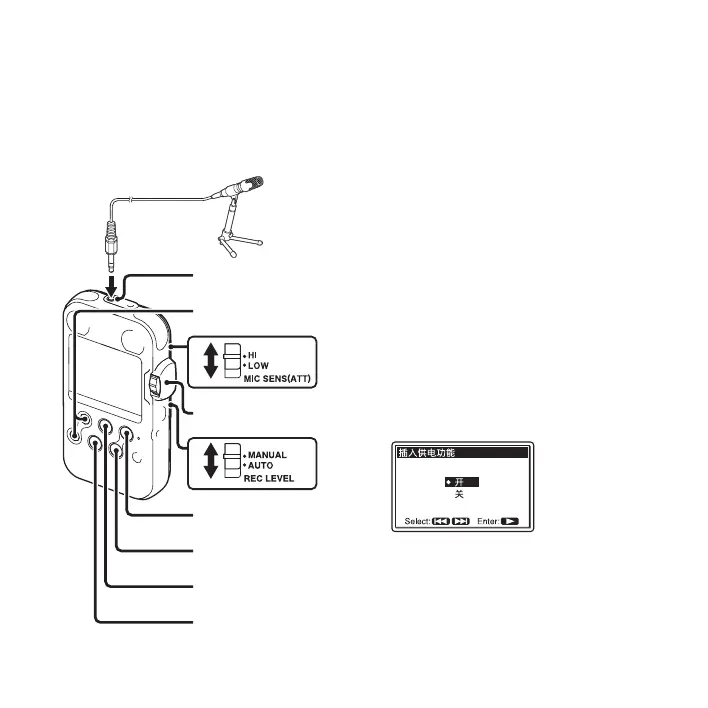
1 Connect an external microphone to the
m (microphone) jack when the PCM
recorder is in the stop mode.
“ 插入供电功能 ” appears in the display
window.
If “ 插入供电功能 ” is not displayed, set
it in the menu (page 82).
2 Press> FF/ v or . FR/ V to select
“ 开 ,” and then press
N PLAY/ENTER.
When a plug in power type microphone
is connected, power is automatically
supplied to the microphone from the
PCM recorder.
3 Press x STOP to exit the menu mode.
> FF/ v,
. FR/ V
Stereo
microphone
x STOP
z REC
N PLAY/ENTER
m (microphone) jack
REC LEVEL
X PAUSE



 To Next Page