52
GB
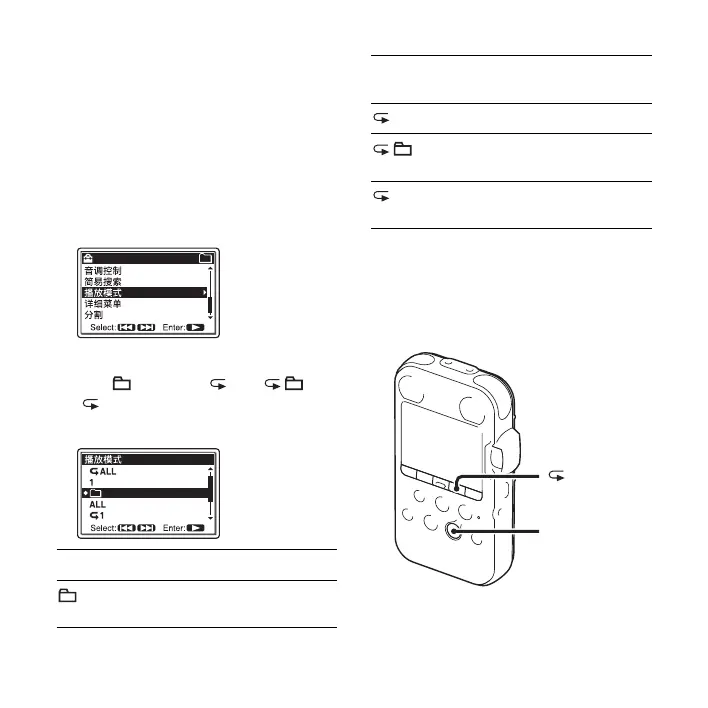
1 Press MENU to enter the menu mode
when the PCM recorder is in the stop or
playback mode.
The menu mode window will be
displayed.
2 Press > FF/ v or . FR/ V to select
“ 播放模式 ,” and then press
N PLAY/
ENTER.
3 Press > FF/ v or . FR/ V to select
“1,” “ ,” “ALL,” “ 1,” “ ,” or
“
ALL,” and then press N PLAY/
ENTER.
4 Press x STOP to exit the menu mode.
Playing back repeatedly
1 A track is played back.
Tracks in one folder are played back
continuously.
ALL All the tracks are played back
continuously.
1 One track is played back repeatedly.
Tracks in one folder are played back
repeatedly.
ALL All the tracks are played back
repeatedly.
N PLAY/
ENTER
A-B



 To Next Page