56
GB
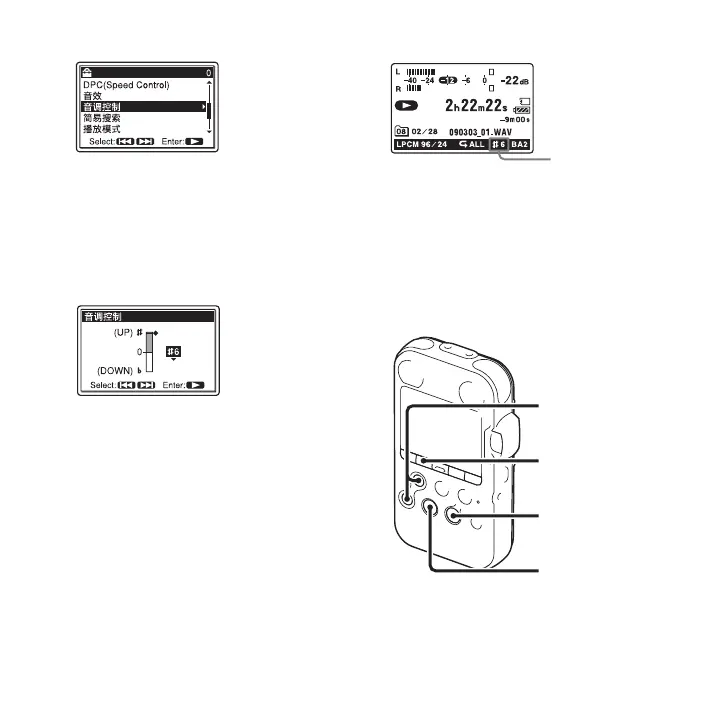
3 Press > FF/ v or . FR/ V to adjust
the playback tone.
Press
> FF/ v to adjust the sounds by
a halftone higher (#1 to #6), or
. FR/
V to adjust it by a halftone lower (21 to
26), each in 6 steps.
4 Press N PLAY/ENTER to set the
playback tone.
5 Press x STOP to exit the menu mode.
6 Press N PLAY/ENTER to start
playback.
Tracks are played back at the selected
tone. The setting ( #1 to #6, 21 to 26) is
displayed on the display window.
To resume normal playback
sounds
Select “0” in step 3.
Reinforcing the bass
sound – 音效
You can set the bass sound you want for the
playback in the menu.
Key control
setting
MENU
x STOP
> FF/ v,
. FR/ V
N
PLAY/
ENTER



 To Next Page