22
GB
Basic Operations
Recording
P Note
Before making a recording, turn on the power of the PCM recorder.
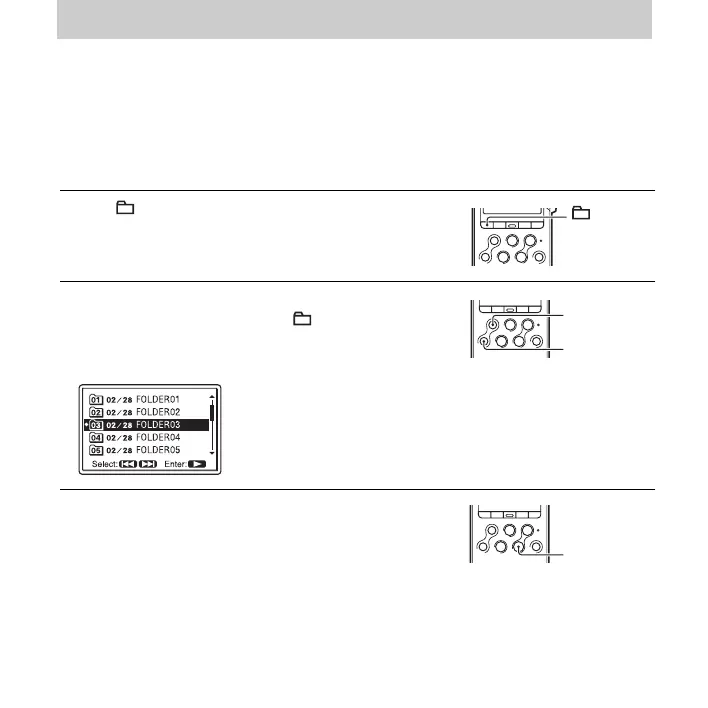
Selecting a folder
1 Press to display the folder selection window in the
stop mode.
2 Press > FF/ v or . FR/ V to select the folder in
which you want to record tracks ( FOLDER01-10).
When you purchase the PCM recorder, there are 10
folders already available.
3 Press N PLAY/ENTER.
> FF/ v
.
FR/ V
N PLAY/
ENTER



 To Next Page