28
GB
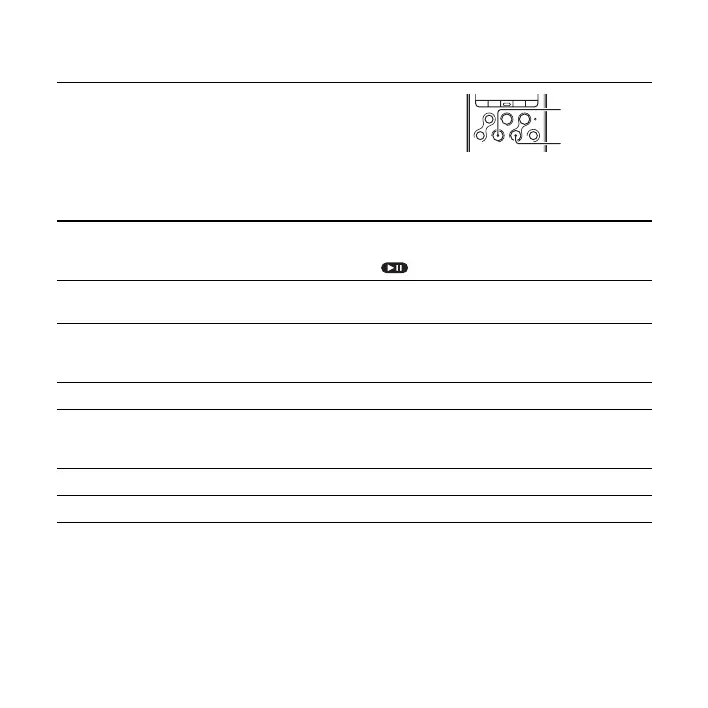
To stop playback
Other operations
Press x STOP.
The PCM recorder stops at the current position. To resume
playback from that point, press
N PLAY/ENTER.
stop at the current position
(Playback Pause function)
Press X PAUSE. To resume playback from that point, press X
PAUSE again or press
N PLAY/ENTER.
During playback pause, “ ” flashes in the display window.
go back to the beginning of
the current track
Press
. FR/ V once.*
1
go back to previous tracks Press . FR/ V repeatedly.*
2
(During the stop mode, keep the button pressed to go back the tracks
continuously.)
*
3
skip to the next track Press > FF/ v once.*
1
skip to the succeeding
tracks
Press > FF/ v repeatedly.*
2
(During the stop mode, keep the button pressed to skip the tracks
continuously.)
*
3
Fast forward (Cue) Press and hold the > FF/ v during playback.*
4
Fast reverse (Review) Press and hold the . FR/ V during playback.*
4
*1 When a track mark is set, the PCM recorder goes backward or forward to the track mark before or
after the current point.
*2 These operations are for when “ 简易搜索 ” is set to “ 关 ” (page 77).
*3 In the continuous searching mode, the PCM recorder does not locate track marks.
*4 If you press and hold the button, the PCM recorder goes forward or backward slowly at first, and then
at gradually higher speed.
N PLAY/
ENTER
x STOP



 To Next Page