65
GB
Editing Tracks
Arranging Tracks
Copying a track to the other
memory
You can copy tracks between the built-in
memory and a memory card, which is
useful in saving a backup. Before starting
the operation, insert a memory card to be
used for copying into the memory card slot.
P Notes
• You cannot copy a track that the PCM
recorder does not recognize.
• Before starting to copy the target track, make
sure to check the battery remain indication.
If the batteries are weak, you may not be
able to copy tracks (page 14).
• If the remaining memory capacity of the
destination memory is insufficient, you may
not be able to copy tracks.
1 Select the track you want to copy.
When you want to copy a track from a
memory card to the built-in memory, set
the “ 内存 ” in the menu to “ 存储卡 ”
(page 38).
2 Press MENU to enter the menu mode.
The menu mode window will be
displayed.
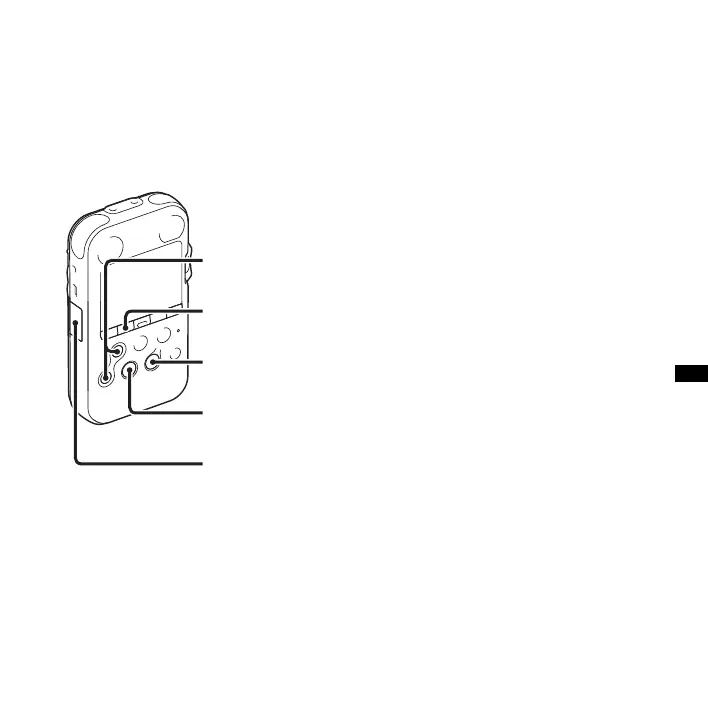
3 Press > FF/ v or . FR/ V to select
“ 复制文件 ,” and then press
N PLAY/
ENTER.
The message “ 复制到存储卡 选择文件
夹 ” or “ 复制到内置内存 选择文件
N PLAY/ENTER
MENU
> FF/ v,
. FR/ V
x
STOP
Memory card slot



 To Next Page