63
GB
Editing Tracks
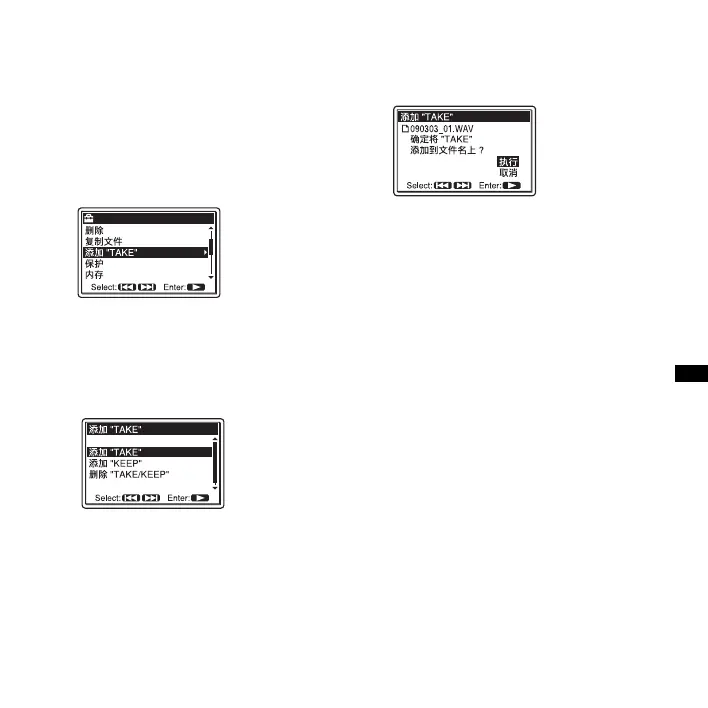
2 Press MENU to enter the menu mode.
The menu mode window will be
displayed.
3 Press > FF/ v or . FR/ V to select
“ 添加 “TAKE”,” and then press
N
PLAY/ENTER.
4 Press > FF/ v or . FR/ V to select
“ 添加 “TAKE”,” or “ 添加 “KEEP”,”
and then press
N PLAY/ENTER.
A confirmation message is displayed.
5 Press > FF/ v or . FR/ V to select
“ 执行 ,” and then press
N PLAY/
ENTER.
A suffix (“TAKE” or “KEEP”) is added
to the file name of the track.
6 Press x STOP to exit the menu mode.
Removing “TAKE” or “KEEP” from
the file name of a track
Select “ 删除 “TAKE/KEEP”” in step 4.



 To Next Page