PRS-505.GB.3-277-508-11(1)
Basic Operations
Menu Operations
You can switch between screens, read/play/view content, or
set items, using the ////Enter buttons, number buttons,
or MENU.
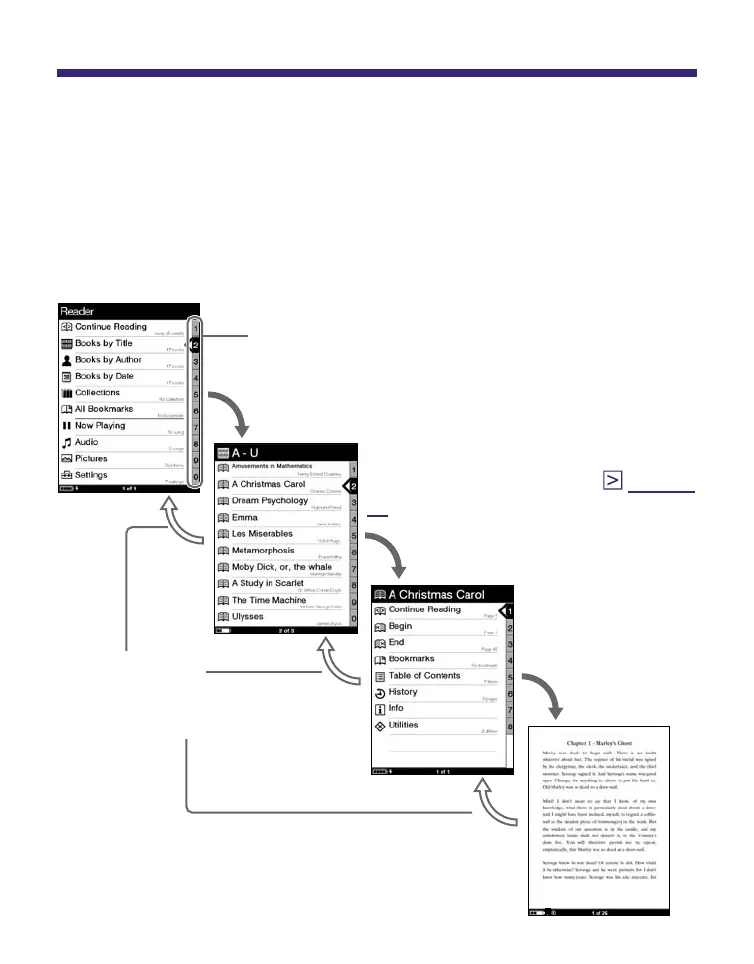
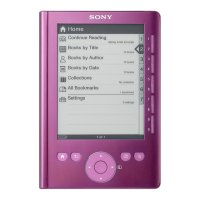
Example: screen transition diagram of the Home menu –
Book list – Option menu – Book page
Press / to
select, then
press Enter.
Press MENU to
return to the
previous screen.
Number tab
Selected item is highlighted in black.
Press / to select “Books by Title” then press
Enter.
Press / to select,
then press Enter.
If the stored books are more than 30,
the Index menu appears. (
page 46
,
48
)
Continued
13







 To Next Page