PRS-505.GB.3-277-508-11(1)
Press / to select the desired picture from the list,
then press Enter.
The Picture appears.
Operations on the Picture viewer
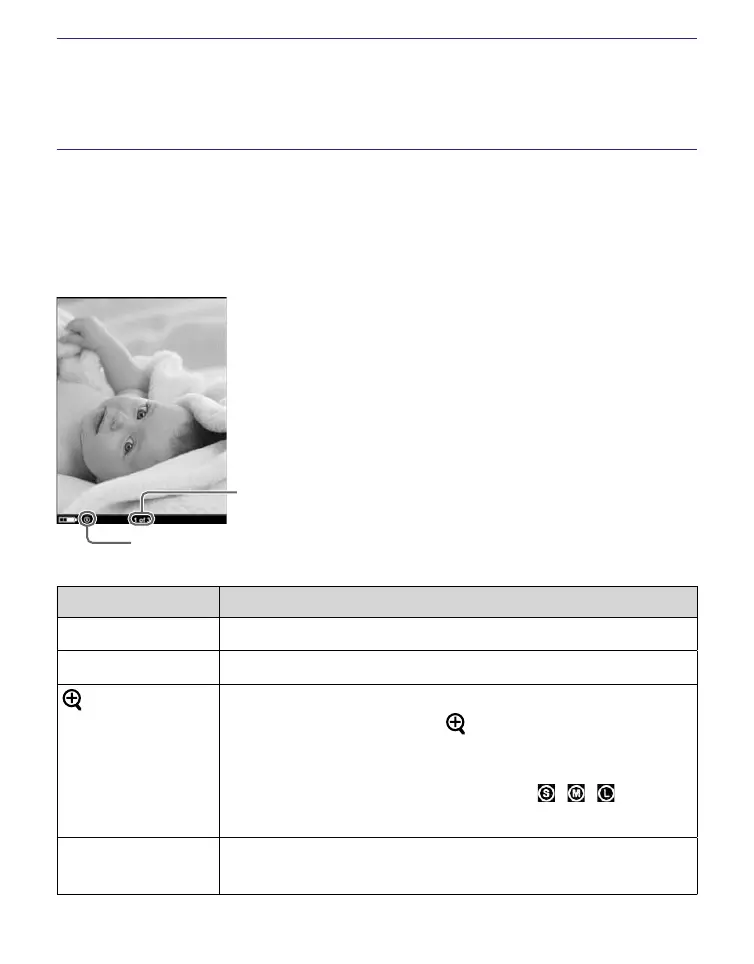
On the Picture viewer, the following operations can be
performed.
Current picture number/
total picture number
Size indicator
Button Operation
> button To display the next picture.
< button To display the previous picture.
(size) button To zoom in/out a page.
Every time you press (size), the picture is
magnified in steps and returns to the original
scale after the maximum magnification.
The scale switches in 3 steps ( , , –
indicated at the bottom of the screen).
Enter button To restore the original scale when the picture
is magnified.
Continued
60










 To Next Page