PRS-505.GB.3-277-508-11(1)
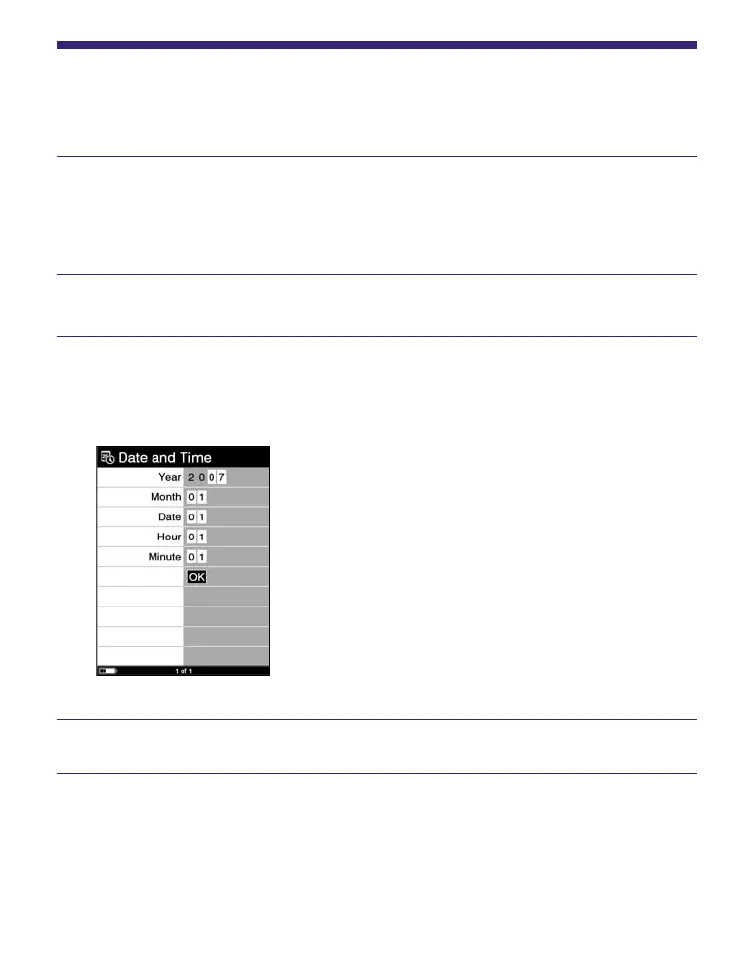
Setting the Date and Time
You can set the date and time displayed on the Reader.
In the Home menu, press / to select “Settings,”
then press Enter.
The Setting menu appears.
Press
/
to select “Date and Time,” then press Enter.
Press / to select “Year,” “Month,” “Date,” “Hour,”
and “Minute,” then press the number buttons to
input the date and time.
Press / to select “OK,” then press Enter.
Hint
• When you connect the Reader to your computer with eBook
Library started, the date and time of the Reader is automatically
synchronized with your computer clock.
63















 To Next Page