PRS-505.GB.3-277-508-11(1)
• To display the rest of the list, press > (repeatedly).
• If an invalid operation is performed, appears at the bottom of
the screen.
• If an audio file is played, “Now Playing” can be selected on the
Home menu and the Playback screen can be displayed.
• The Now Playing icon in the Home menu changes when an audio
file is being played.
Press / to select the desired track from the list,
then press Enter.
Playback starts.
Tracks are played in alphabetical order.
To stop playback, press Enter.
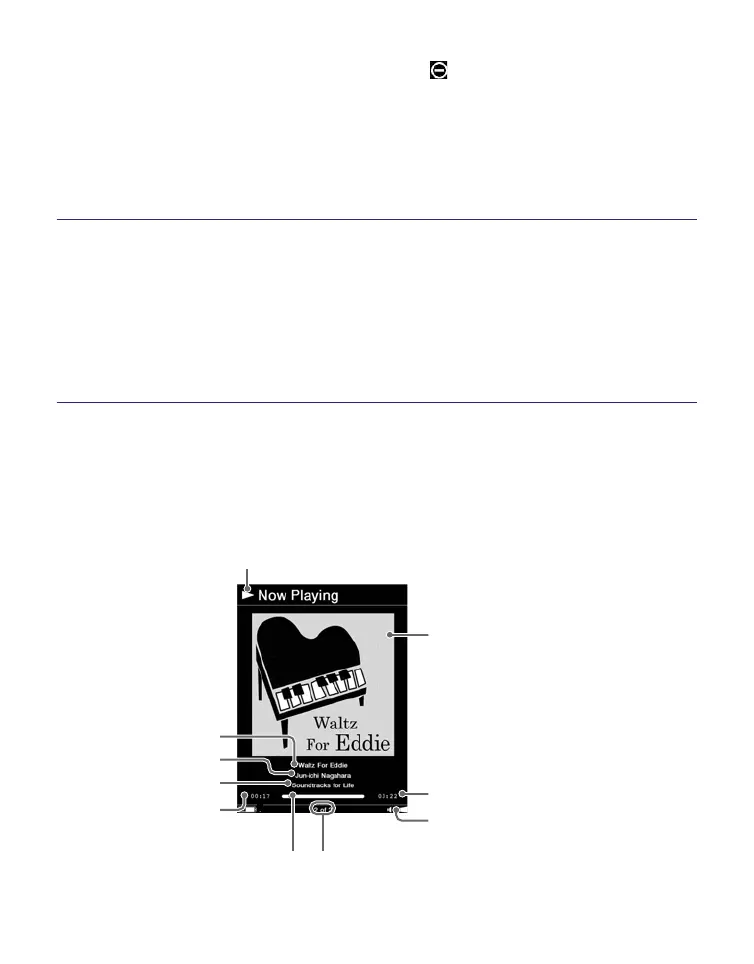
Operations on the Playback screen
On the Playback screen, the following operations can be
performed.
Playback indicator
Picture area
Track name
Artist name
Album name
Elapsed playback
time
Volume indicator
Total time of the
current track
Current track
number/total
track number
Status bar
Continued
56















 To Next Page