29
Seven Basic Operations — Getting to Know Your DVD Recorder
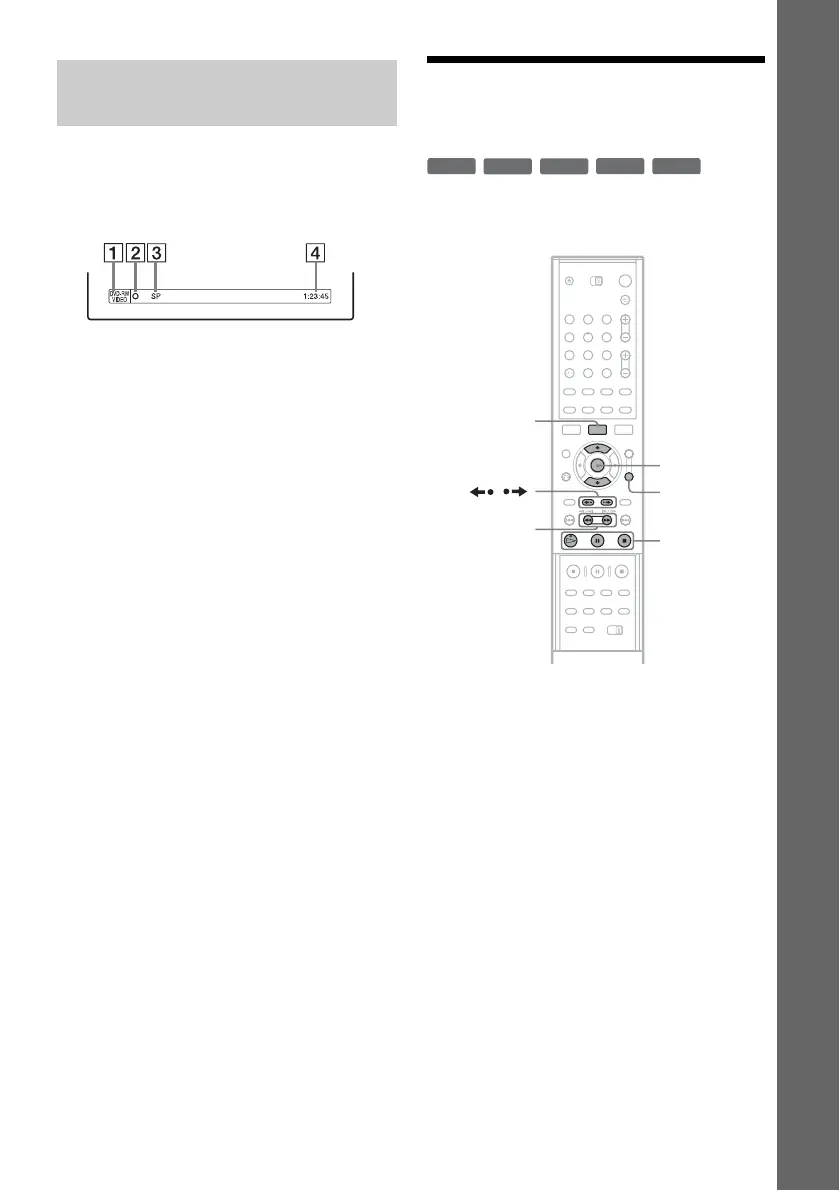
You can check the recording information such as
recording time or disc type.
Press DISPLAY twice during recording.
The recording information appears.
A Disc type/format
B Recording status
C Recording mode
D Recording time
Press DISPLAY to turn off the display.
3. Playing the Recorded
Programme (Title List)
To play a recorded title, select the title from the
Title List.
1 Insert a DVD.
See “Inserting a Disc” on page 26.
Playback starts automatically depending on
the disc.
2 Press TITLE LIST.
To show the extended Title List, press
TOOLS to select “Display List,” and press
ENTER.
Checking the disc status while
recording
+
RW
-
RWVR
-
RW
Video
-
R
+
R
123
456
789
0
TOOLS
H/X/x
M/m,
ENTER
TITLE LIST
/
m/M
,continued



 To Next Page