50
You can adjust the recording picture quality and
picture size.
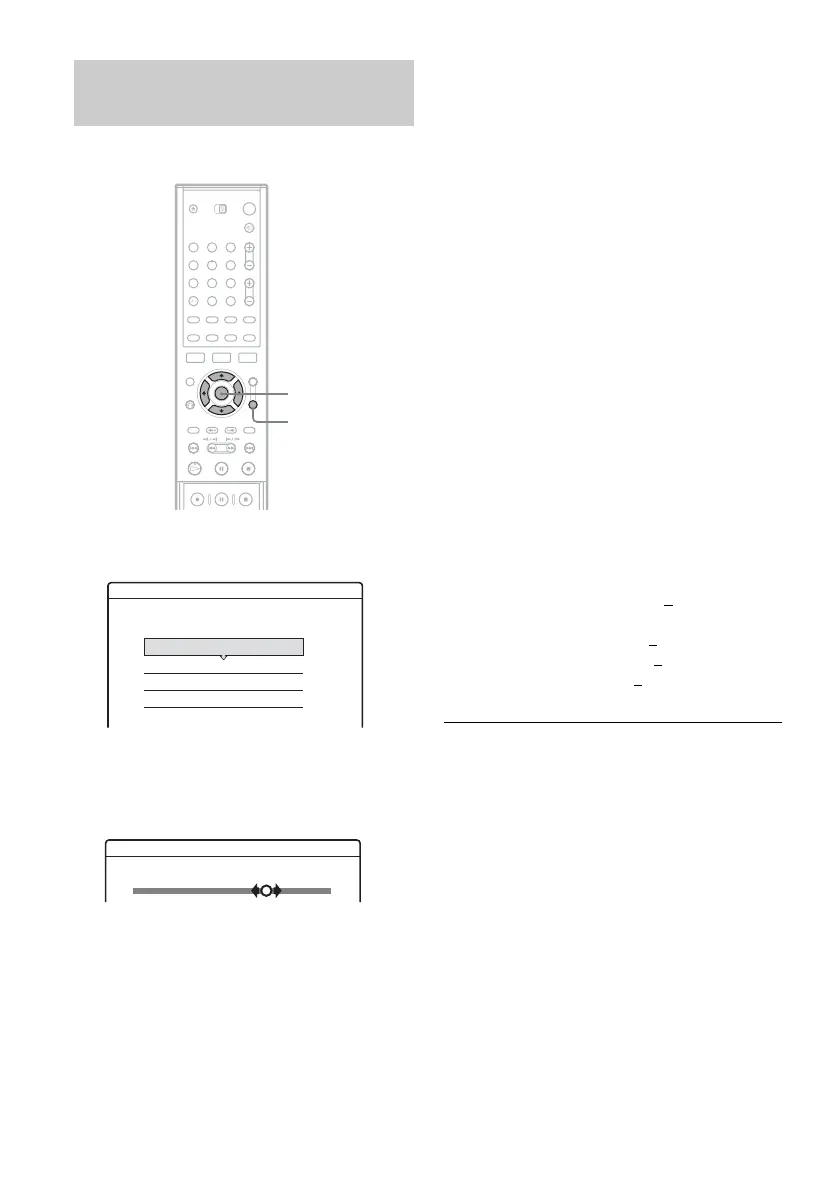
1 Before recording starts, press TOOLS to
select “Rec Settings,” and press ENTER.
2 Select the item you want to adjust, and
press ENTER.
The adjustment display appears.
Example: Rec NR
“Rec Mode”: Selects the recording mode for
the desired recording time and picture quality.
For more information, see “Recording mode”
on page 45.
“Line Rec. Picture Size”: Sets the picture size
of the programme to be recorded.
• 4:3: Sets the picture size to 4:3.
• 16:9 (default): Sets the picture size to 16:9
(wide mode).
This function works with DVD-Rs and DVD-
RWs (Video mode) when the recording mode
is set to HQ, HSP, SP
, or LSP. For all other
recording modes, the screen size is fixed at
“4:3.”
For DVD-RWs (VR mode), the actual picture
size is recorded regardless of the setting. For
example, if a 16:9 size picture is received, the
disc records the picture as 16:9 even if “Line
Rec. Picture Size” is set to “4:3.”
For DVD+RWs/DVD+Rs, the screen size is
fixed at “4:3.”
“Rec NR” (noise reduction): Reduces noise
contained in the video signal.
“Rec Video Equalizer”: Adjusts the picture in
greater detail.
Press M/m to select the item you want to
adjust, then press ENTER.
• Contrast: Changes the contrast.
• Brightness: Changes the overall brightness.
• Colour: Makes the colours deeper or lighter.
3 Adjust the setting using </M/m/,, and
press ENTER.
The default setting is underlined.
“Rec NR”: (weak) Off 1 ~ 2 ~ 3 (strong)
“Rec Video Equalizer”:
• Contrast: (weak) –3 ~ 0
~ 3 (strong)
• Brightness: (dark) –3 ~ 0 ~ 3 (bright)
• Colour: (light) –3 ~ 0
~ 3 (deep)
Repeat steps 2 and 3 to adjust any other items.
b Notes
• If one programme contains two picture sizes, the
selected size is recorded. However, if the 16:9 signal
cannot be recorded as 16:9, it is recorded as 4:3.
• Remnants of images may appear on your screen when
using “Rec NR.”
Adjusting the recording picture
quality and size
123
456
789
0
</M/m/,,
ENTER
TOOLS
Rec. Settings
Select the item you want to change.
Rec Mode : SP
Rec Video Equalizer
Rec NR :
Line Rec. Picture Size:
16 : 9
2
123
Off
Rec NR



 To Next Page