55
Timer Recording
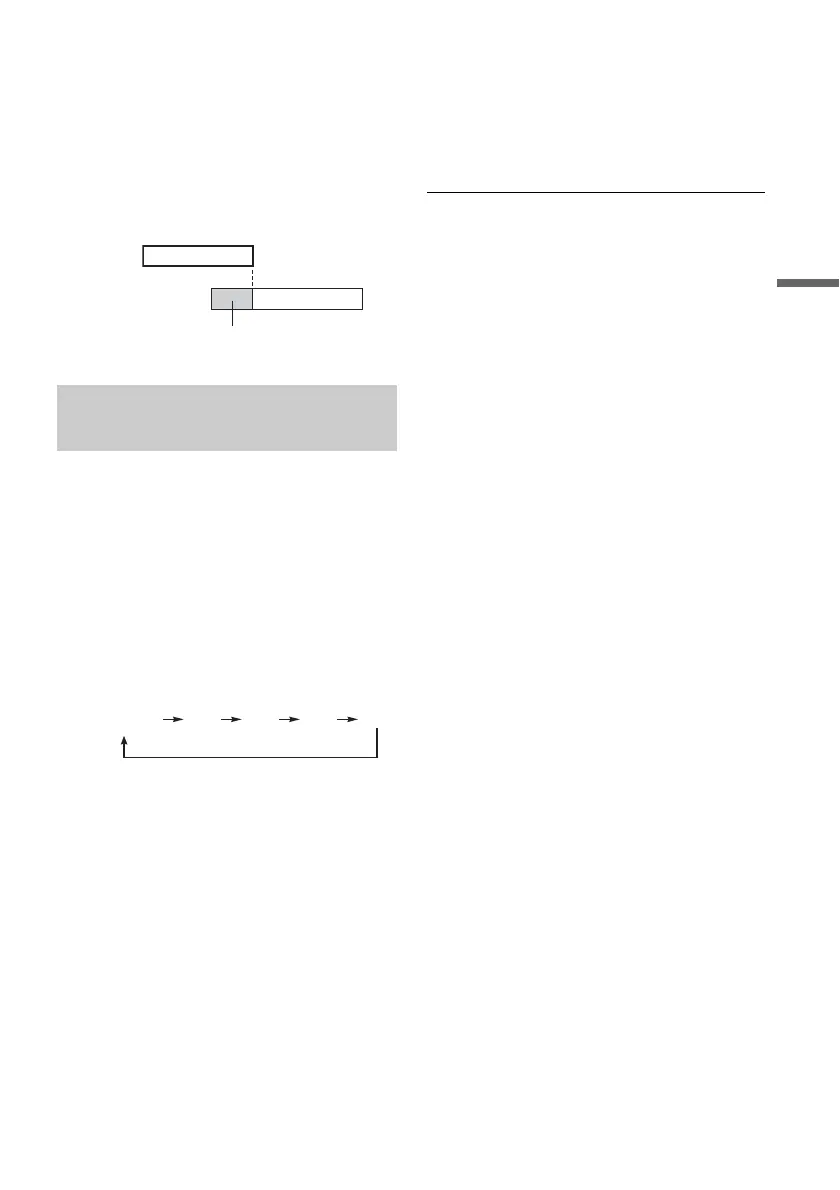
If the timer settings of a Synchro-Recording
and another timer recording overlap
Regardless of whether or not the programme is a
Synchro Rec programme, the programme that
starts first has priority and the second programme
starts recording only after the first programme has
finished.
You can record from a connected VCR or similar
device. To connect a VCR or similar device, see
“Connecting a VCR or Similar Device” on
page 23.
1 Insert a recordable DVD.
See “Inserting a Disc” (page 26).
2 Press INPUT SELECT to select an input
source according to the connection you
made.
The front panel display changes as follows:
3 Select the line input audio when recording
a bilingual programme on the DVD-RWs
(VR mode).
Press TOOLS to select “Line Audio Input,”
and press ENTER. Then select “Bilingual,”
and press ENTER.
4 Press REC MODE repeatedly to select the
recording mode.
For details about the recording mode, see
page 45.
5 Press X REC PAUSE to set this recorder to
record pause.
6 Insert the source tape into the connected
equipment and set to playback pause.
7 At the same time, press X REC PAUSE on
this recorder and the pause or play button
on the connected equipment.
Recording starts.
To stop recording, press x REC STOP on this
recorder.
z Hint
You can adjust the settings for the recording picture
before recording. See “Adjusting the recording picture
quality and size” on page 50.
b Notes
• When recording a video game image, the screen may
not be clear.
• Any programme that contains a Copy-Never copy
guard signal cannot be recorded. The recorder
continues to record, but a blank screen will be recorded.
Recording from connected
equipment without a timer
7:00 8:00 9:00 10:00
First
programme
will be cut off
Second
programme
L2L1 L4L3
programme
position



 To Next Page