17
KDL-40XBR7
KDL-40XBR7
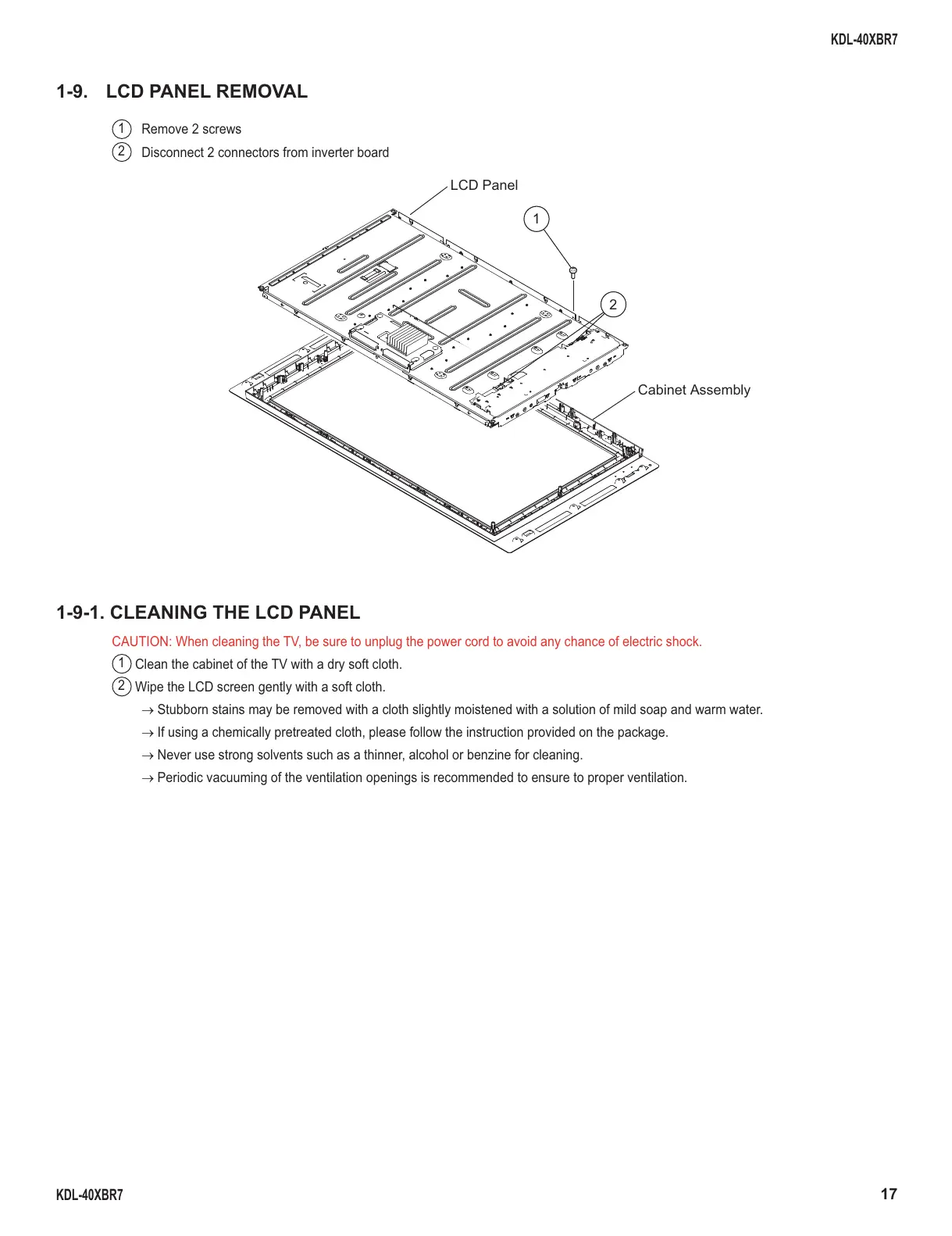
1-9. LCD PANEL REMOVAL
1
Remove 2 screws
2
Disconnect 2 connectors from inverter board
1-9-1. CLEANING THE LCD PANEL
CAUTION: When cleaning the TV, be sure to unplug the power cord to avoid any chance of electric shock.
1
Clean the cabinet of the TV with a dry soft cloth.
2
Wipe the LCD screen gently with a soft cloth.
→ Stubborn stains may be removed with a cloth slightly moistened with a solution of mild soap and warm water.
→ If using a chemically pretreated cloth, please follow the instruction provided on the package.
→ Never use strong solvents such as a thinner, alcohol or benzine for cleaning.
→ Periodic vacuuming of the ventilation openings is recommended to ensure to proper ventilation.
1
2
LCD Panel
Cabinet Assembly





 To Next Page