18
KDL-40XBR7
KDL-40XBR7
1-10. TOUCH SENSOR MODULE REMOVAL
1
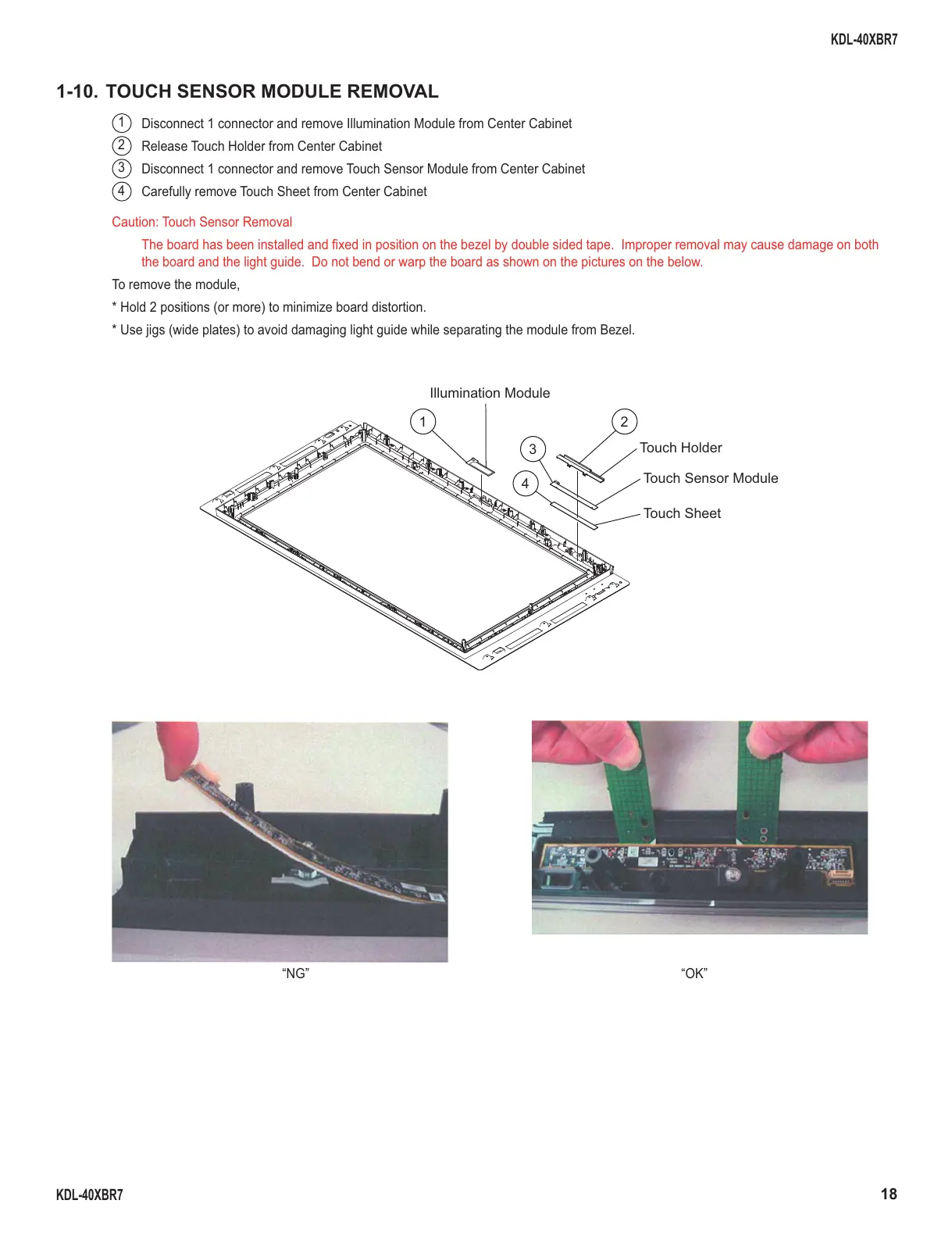
Disconnect 1 connector and remove Illumination Module from Center Cabinet
2
Release Touch Holder from Center Cabinet
3
Disconnect 1 connector and remove Touch Sensor Module from Center Cabinet
4
Carefully remove Touch Sheet from Center Cabinet
1
3
4
2
Illumination Module
Touch Holder
Touch Sensor Module
Touch Sheet
Caution: Touch Sensor Removal
The board has been installed and fi xed in position on the bezel by double sided tape. Improper removal may cause damage on both
the board and the light guide. Do not bend or warp the board as shown on the pictures on the below.
To remove the module,
* Hold 2 positions (or more) to minimize board distortion.
* Use jigs (wide plates) to avoid damaging light guide while separating the module from Bezel.
“NG”
“OK”





 To Next Page