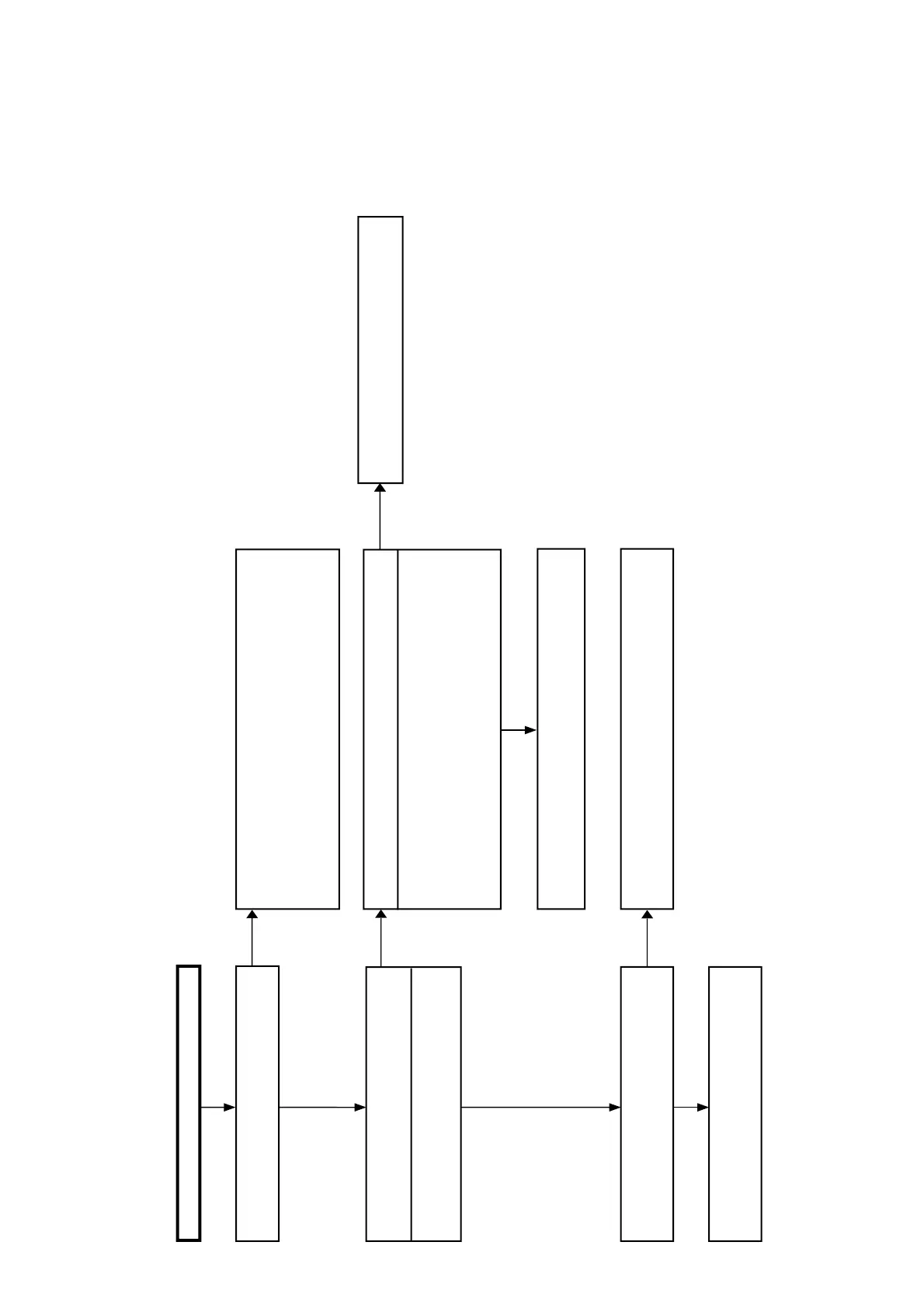
Flowchart No.1
Main Set, Power Supply Section
Power does not turn on
Does the power turn on by the Power button of
remote controller and main set?
For the remote controller, see Operation and Display section, Flowchart No.1
“Disabled operation from remote controller”
Yes
No No
Is 5V supplied to connector CN100 15pin on FL board?
No
Check/replace the FL board flexible cable (MAIN h FL).
If not improved by replacement, replace the Main board.
Check/replace the FL board flexible cable (MAIN h FL).
If not improved by replacement, replace the Main board.
Is the power supplied to connector CN6051 on
main board?
Is the fuse in each line on power board OK?
CN6051 6pin 6V
Yes
Yes
No
For the Power button of main set, see Operation and Display section,
Flowchart No.2 “Disabled key operation”
Yes
FU101 on primary side
6V P301 3V P401
12V P202 1.5V P501
5V P302
Check/replace the power harnesses (PM-145, PM-146)
If not improved by replacement, replace the Power board
Replace the Power board
If not improved by replacement, replace the Main board





 To Next Page