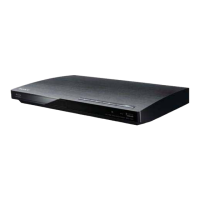
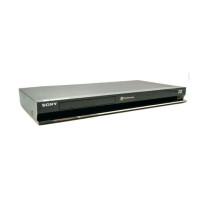
What to do if 'ERR' is displayed on the FL tube of my Sony RMT-B101A Blu-ray Player?
- AAbigail BergAug 8, 2025
If 'ERR' is displayed on the FL tube of your Sony Blu-ray Player, the suggested solution is to replace the Main board.
What to do if 'ERR' is displayed on the FL tube of my Sony RMT-B101A Blu-ray Player?
If 'ERR' is displayed on the FL tube of your Sony Blu-ray Player, the suggested solution is to replace the Main board.
What to do if the P202 fuse on the Power board is not OK on my Sony Blu-ray Player?
If the P202 fuse on the power board of your Sony Blu-ray Player is not OK, the suggested solution is to replace the Power board.
Covers power requirements, consumption, dimensions, and mass of the player.
Instructions and methods for testing AC leakage from exposed metal parts to earth ground.
Step-by-step guide for removing a disc when the tray cannot be ejected normally.
Lists specific test discs and their part numbers for player functionality checks.
Procedures for verifying playback and output signals using various test discs.
General warnings about rain, moisture, opening the cabinet, and laser hazards.
Standard safety precautions for electrical appliances, including installation and usage.
Details supported disc types and file formats (BD, DVD, DATA DVD, MP3, JPEG).
Guides for resolving problems related to picture, sound, operation, and disc playback.
Outlines the sequence for disassembling the player, showing the order of component removal.
Detailed circuit schematic for the FL-180 board, covering indicator drive functions.
Detailed circuit schematic for the FL-180 board, covering door drive functions.
Shows component placement and traces for the top side of the FR-276 board.
Shows component placement and traces for the bottom side of the FR-276 board.
Provides a detailed circuit schematic for the FR-276 board, covering LED drive and function key circuits.
Troubleshooting steps for when the player does not turn on, focusing on power supply.
Troubleshooting steps for when the set does not start normally after power ON.
Troubleshooting steps for when the disc drive does not operate normally.
Troubleshooting steps for when video is not displayed normally.
Troubleshooting steps for when audio is not heard normally.
Troubleshooting steps for when video playback is not normal.
Troubleshooting steps for when audio playback is not normal.
Steps to diagnose and resolve issues with remote control operation.
Steps to diagnose and resolve issues with player buttons and their voltage outputs.
Steps to diagnose and resolve issues with the FL display tube not lighting up.
Steps to diagnose and resolve issues with LEDs not lighting up.
Verifying power supply to the audio board and checking internal circuits.
Diagnosing problems when Key 0 on the FL board is inactive.
Steps to diagnose and resolve issues with the FL tube not lighting up.
Diagnosing issues related to the FL tube switch periphery circuit.
Diagnosing why discs cannot be played, checking power and drive status.
Covers power requirements, consumption, dimensions, and mass of the player.
Instructions and methods for testing AC leakage from exposed metal parts to earth ground.
Step-by-step guide for removing a disc when the tray cannot be ejected normally.
Lists specific test discs and their part numbers for player functionality checks.
Procedures for verifying playback and output signals using various test discs.
General warnings about rain, moisture, opening the cabinet, and laser hazards.
Standard safety precautions for electrical appliances, including installation and usage.
Details supported disc types and file formats (BD, DVD, DATA DVD, MP3, JPEG).
Guides for resolving problems related to picture, sound, operation, and disc playback.
Outlines the sequence for disassembling the player, showing the order of component removal.
Detailed circuit schematic for the FL-180 board, covering indicator drive functions.
Detailed circuit schematic for the FL-180 board, covering door drive functions.
Shows component placement and traces for the top side of the FR-276 board.
Shows component placement and traces for the bottom side of the FR-276 board.
Provides a detailed circuit schematic for the FR-276 board, covering LED drive and function key circuits.
Troubleshooting steps for when the player does not turn on, focusing on power supply.
Troubleshooting steps for when the set does not start normally after power ON.
Troubleshooting steps for when the disc drive does not operate normally.
Troubleshooting steps for when video is not displayed normally.
Troubleshooting steps for when audio is not heard normally.
Troubleshooting steps for when video playback is not normal.
Troubleshooting steps for when audio playback is not normal.
Steps to diagnose and resolve issues with remote control operation.
Steps to diagnose and resolve issues with player buttons and their voltage outputs.
Steps to diagnose and resolve issues with the FL display tube not lighting up.
Steps to diagnose and resolve issues with LEDs not lighting up.
Verifying power supply to the audio board and checking internal circuits.
Diagnosing problems when Key 0 on the FL board is inactive.
Steps to diagnose and resolve issues with the FL tube not lighting up.
Diagnosing issues related to the FL tube switch periphery circuit.
Diagnosing why discs cannot be played, checking power and drive status.
| Type | Remote control |
|---|---|
| Brand | Sony |
| Model | RMT-B101A |
| Battery Type | AAA |
| Number of Batteries | 2 |
| Color | Black |
| Compatible Devices | Blu-ray Player |
| Connectivity | Infrared (IR) |


Loading...