HT-CT780
26
2-20. Wireless Sound Cold Reset
It can initialize various backup information of Subwoofer (SA-
WCT780).
Preparation:
Connect the Bar Speaker (SA-CT780) and the Subwoofer (SA-
WCT780) by wireless.
Procedure:
1. Enter the test mode menu.
(Refer to “Setting method of the test mode menu” on page 22)
2. Press the [VOLUME +]/[VOLUME –] buttons to select the
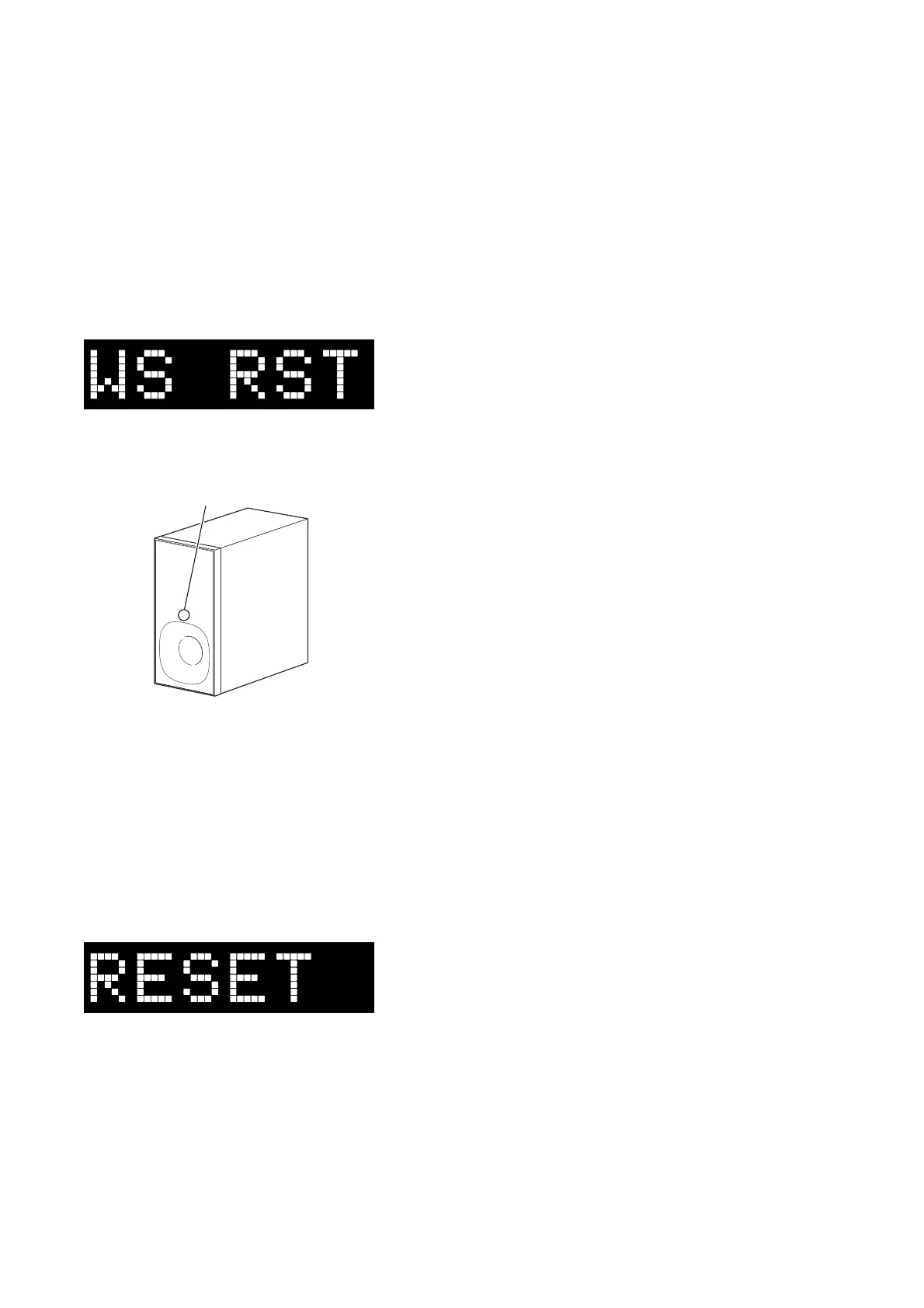
“WS RST”, press the [INPUT] button.
3. The on/standby indicator on the Subwoofer (SA-WCT780)
turns red and fl ashes, then turns on yellow.
on/standby indicator
Red (flash)
t Yellow (light up)
4. Pull out the power cord on the Subwoofer (SA-WCT780) from
an outlet and insert the power cord again.
2-21. Cold Reset
It can initialize various backup information.
Procedure:
1. Enter the test mode menu.
(Refer to “Setting method of the test mode menu” on page 22)
2. Press the [VOLUME +]/[VOLUME –] buttons to select the
“RESET”, press the [INPUT] button.
3. The message “RESET” is displayed on the fl uorescent indica-
tor tube, then turn the power off.



 To Next Page