27
Using the playback modes
4
Select the chapter number, and then press the button.
To play all the chapters, select “All”. Repeat steps 2 to 4 to set other
titles or chapters.
5
Press the START button.
Program Play begins.
Note
The setting will not be cleared after Program Play finishes.
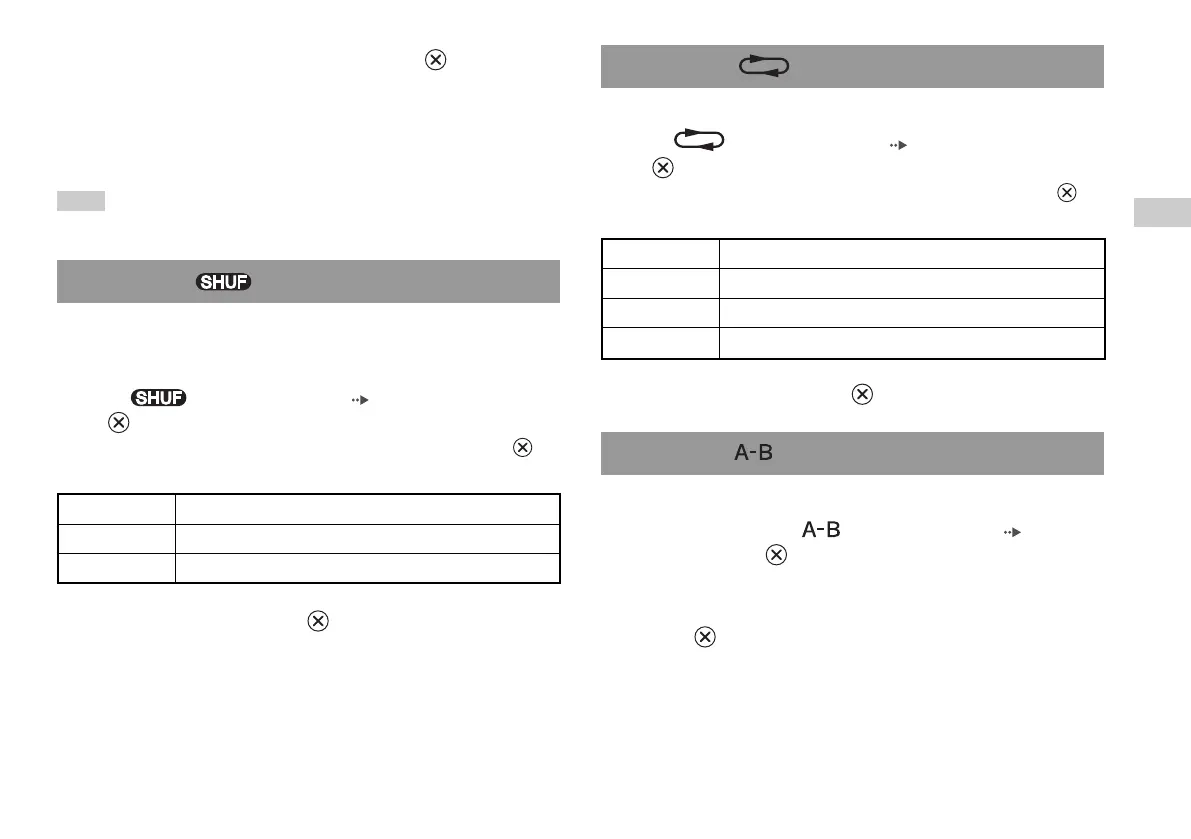
You can set this option for random playback of all titles or chapters
recorded on a disc. Playback order will be different each time Shuffle
Play is used.
1
Select in the Control Panel ( page 22), and then press
the button.
The display changes as shown below each time you press the
button.
Shuffle Play
You can set this option to play titles or chapters repeatedly.
1
Select in the Control Panel ( page 22), and then press
the button.
The display changes as shown below each time you press the
button.
Repeat Play
GB
DVDs
Title Shuffle Plays titles in random order
Chapter Shuffle Plays chapters in random order
Shuffle Off Clears Shuffle Play
2
Select
N
, and then press the button.
Disc Repeat Repeats playback of all titles
Title Repeat Repeats playback of one title
Chapter Repeat Repeats playback of one chapter
Repeat Off Clears Repeat Play
2
Select
N
, and then press the button.
You can set a specific scene to be played repeatedly.
1
During playback, select in the Control Panel ( page 22)
and then press the button at the point you want to start
repeated playback.
The starting point (point A) is set.
2
Press the button at the point you want to end repeated
playback.
The ending point (point B) is set, and repeated playback of the
section from A to B begins.
A-B Repeat













 To Next Page