7
Getting started
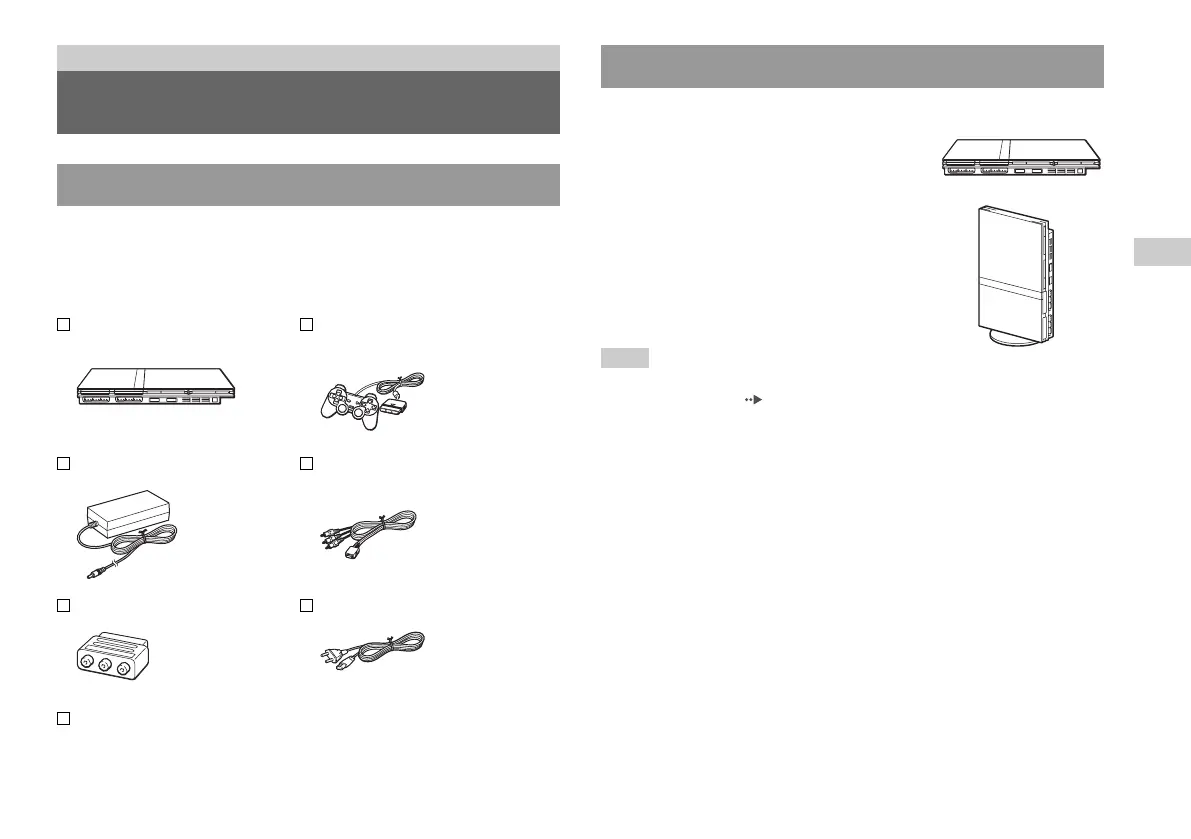
Check that you have all of the following items. If any items are missing,
contact the appropriate PlayStation® customer service helpline which
can be found within every PlayStation® and PlayStation®2 format
software manual.
Checking the package contents
Getting started
Preparation
You can place the console in either the horizontal or vertical position.
Horizontal position
Set the console horizontally.
Vertical position
When setting the console in the vertical
position, use the SCPH-70110 E Vertical
Stand (for PlayStation
®2) (sold separately).
Note
Some Vertical Stands (for PlayStation®2) cannot be used with this model of the
PlayStation
®2 console ( page 46). Choose the SCPH-70110 E when purchasing
a Vertical Stand.
Positioning the console
GB
Preparation
PlayStation®2 console...1 Analog Controller
(DUALSHOCK®2)...1
AC adaptor...1 AV Cable (integrated
audio/video)...1
Euro-AV connector plug...1
Instruction Manual...1
AC power cord...1













 To Next Page