37
Using the System Configuration menu
Notes
• The default setting for each menu item is underlined in the explanations below.
• Changes to each setting are saved and remain in effect even after you turn off
or reset the console.
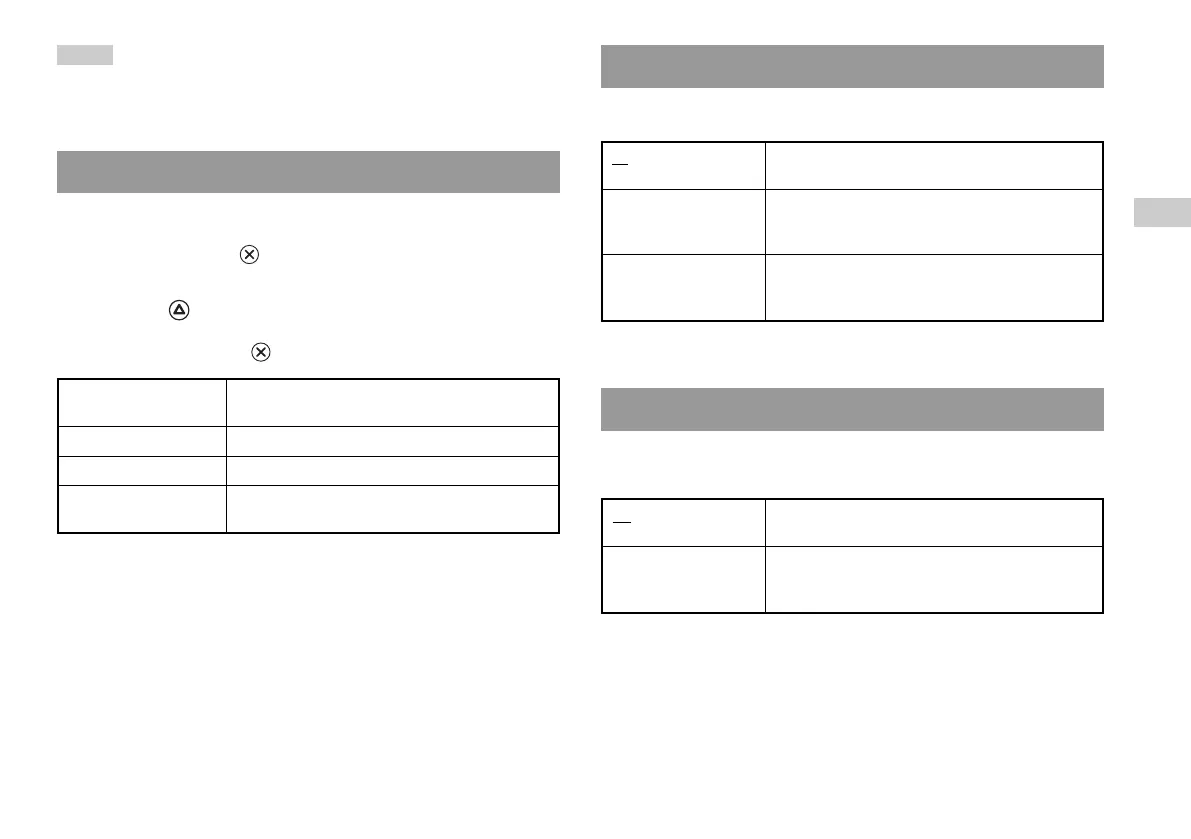
You can set the date and time. Use the directional buttons to set “Year”,
“Month”, “Day”, “Hour”, “Minute” and “Second”. The setting goes into
effect when you press the button.
Optional settings
If you press the button at the “Clock Adjustment” screen, you can
set options such as “Date Format” or “Time Format”. Use the
directional buttons and the button to make each setting.
Time Format Sets the system clock to either 12-hour or 24-hour
clock display
Date Format Sets the display order of year, month and day
Time Zone Sets the time zone
Daylight Savings Time Sets Standard or Daylight Savings (Summer Time).
Normally select "Standard".
Clock Adjustment
You can set the display mode for the TV.
* "Full" display mode is compatible with the System Configuration menu,
Browser screen and audio CD screen.
You can set whether to output the signal through the DIGITAL OUT
(OPTICAL) connector.
On Select this option when you want to output signal
through the DIGITAL OUT (OPTICAL) connector.
Off Select this option when you do not want to output
signal through the DIGITAL OUT (OPTICAL)
connector.
Digital Out (Optical)
4:3 Select this option when using a standard TV with
the console.
Full* Select this option when using a standard TV with
the console. The black margins on the upper and
lower portions of the screen are cut off.
16:9 Select this option when using a wide-screen TV or a
standard TV with special 16:9/wide-screen
functionality.
Screen Size
GB
Main menu













 To Next Page