43
Connecting to a network
Connecting the console
Warning
Do not plug the AC power cord for the console into the electrical outlet until
you have made all other connections.
1
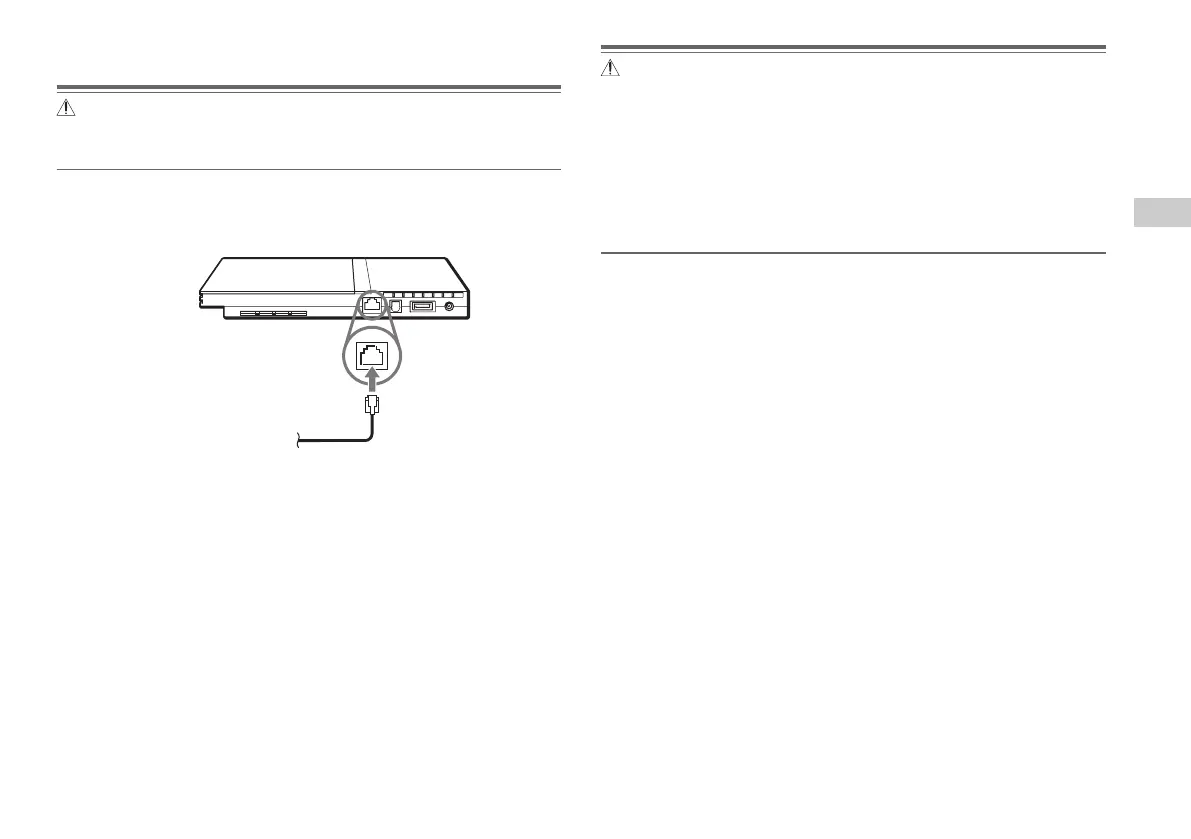
Connect the Ethernet network cable to the NETWORK connector
on the console rear.
2
Insert the connector on the network cable to the network
device.
The connection method will vary depending on the network device.
Refer to the instructions supplied with the network device for details.
Console rear
Commercially available network cable
Warning
Do not connect network cables or telephone cords of the following types to
the network connector; too much electrical current may pass through the
connector, causing a malfunction, excessive heat or fire in the connector:
– Standard residential telephone lines
– Network cables not appropriate for use with a 10Base-T/100Base-TX
network
– Any ISDN (digital) compatible phone or data line
– PBX phone lines
– Other "unknown" types of telephone lines
GB
Networking













 To Next Page