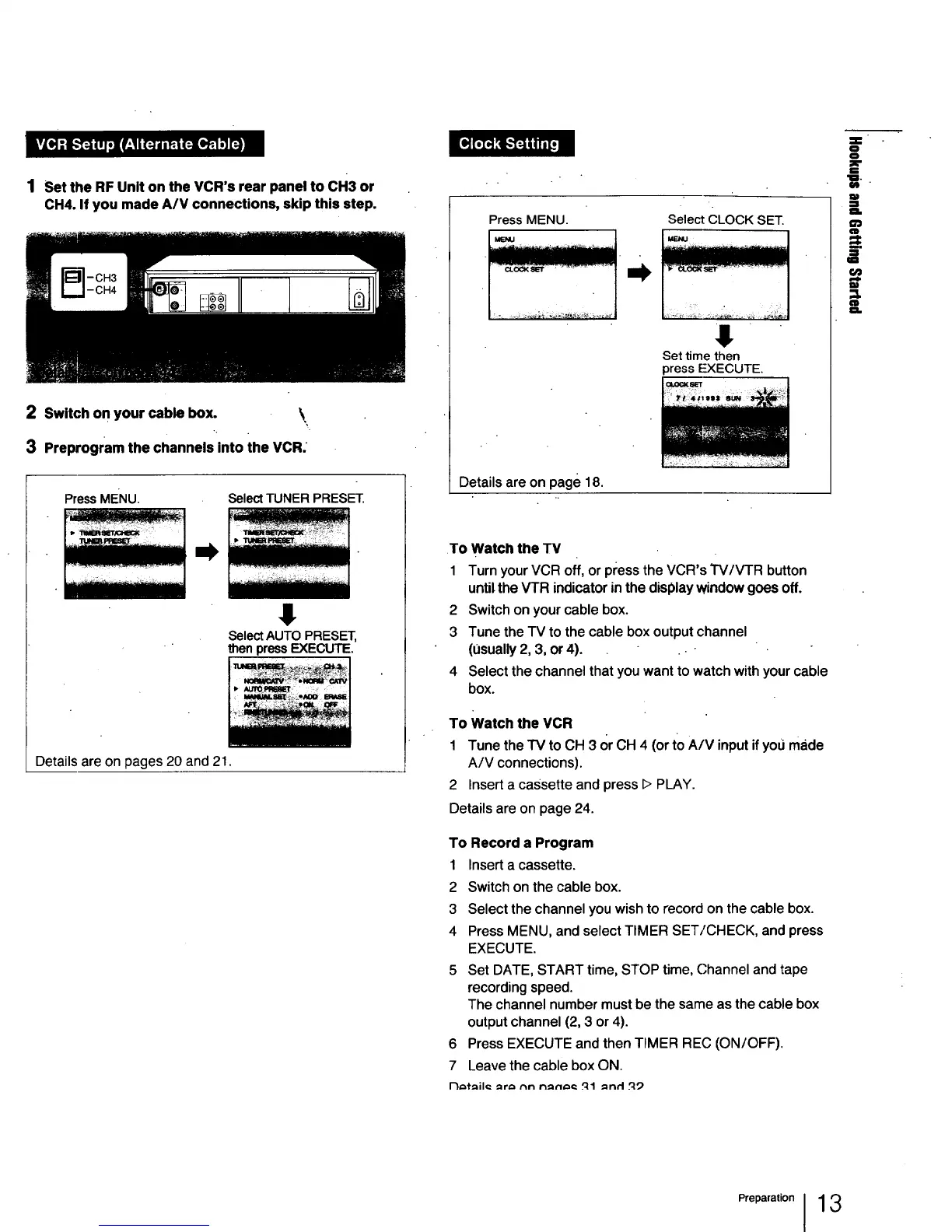
1 Set the RF Unit on the VCR's rear panel to CH3 or
CH4. If you made A/V connections, skip this step.
2 Switch on your cable box. \
3 Preprogram the channels into the VCR.
PressMENU.
Select TUNER PRESET.
SelectAUTO PRESET,
thenpressEXECUTE.
Details are on pages 20 and 21.
Press MENU. Select CLOCK SET.
J
Set time then
press EXECUTE.
Details are on page 18.
To Watch the TV
1 Turn your VCR off, or press the VCR's TV/VTR button
until the VFR indicator in the display window goes off.
2 Switch on your cable box.
3 Tune the TV to the cable box output channel
(0sually 2, 3, or 4).
4 Select the channel that you want to watch with your cable
box.
To Watch the VCR
1 Tune the "IV to CH 3 or CH 4 (or to A/V input if you made
A/V connections).
2 Insert a cassette and press I> PLAY.
Details are on page 24.
To Record a Program
1 Insert a cassette.
2 Switch on the cable box.
3 Select the channel you wish to record on the cable box.
4 Press MENU, and select TIMER SET/CHECK, and press
EXECUTE.
5 Set DATE, START time, STOP time, Channel and tape
recording speed.
The channel number must be the same as the cable box
output channel (2, 3 or 4).
6 Press EXECUTE and then TIMER REC (ON/OFF).
7 Leave the cable box ON.
l-1_f_il_ _r_ rtn n_€1_€: _11 _n¢l t':t9
_..
S
"l=.
tbt
=]
€ID
O,,



 To Next Page