VariableSpeedPlayback
The following section explains the advanced playback. '
functions you can use with your VCR.
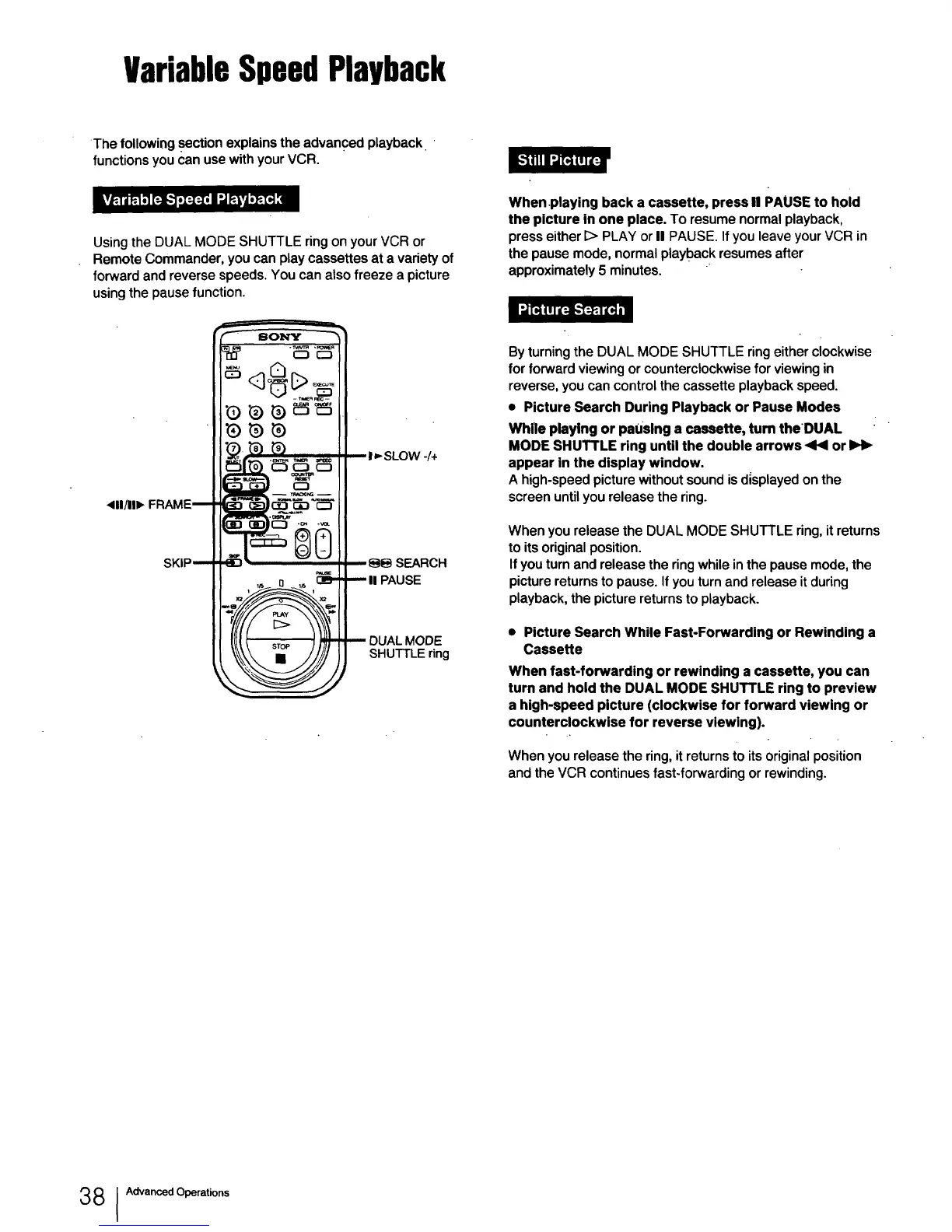
Using the DUAL MODE SHUTTLE ring on your VCR or
Remote Commander, you can play cassettes at a variety of
forward and reverse speeds. You can also freeze a picture
using the pause function.
When playing back a cassette, press II PAUSE to hold
the picture in one place. To resume normal playback,
press either E> PLAY or II PAUSE. If you leave your VCR in
the pause mode, normal playback resumes after
approximately 5 minutes.
4111111"
/+
,_ 0 ,_ _IIPAUSE
_ DUAL MODE
_ SHUTTLE ring
By turning the DUAL MODE SHUTTLE ring either clockwise
for forward viewing or counterclockwise for viewing in
reverse, you can control the cassette playback speed.
• Picture Search During Playback or Pause Modes
While playing or paOslng a cassette, turn the OUAL
MODE SHUTTLE ring until the double arrows ,441 or
appear in the display window.
A high-speed picture without sound is d;splayed on the
screen until you release the ring.
When you release the DUAL MODE SHUTTLE ring, it returns
to its original position.
If you turn and release the ring while in the pause mode, the
picture returns to pause. If you turn and release it during
playback, the picture returns to playback.
• Picture Search While Fast-Forwarding or Rewinding a
Cassette
When fast-forwarding or rewinding a cassette, you can
turn and hold the DUAL MODE SHUTTLE ring to preview
a high-speed picture (clockwise for forward viewing or
counterclockwise for reverse viewing).
When you release the ring, it returns to its original position
and the VCR continues fast-forwarding or rewinding.
38 1Advanced Operations



 To Next Page