RecordingTVPrograms
Before you begin, check the following points:
• Make sure that the connections have been made correctly
(see pages 6 to 14).
• Check the input mode indicator in the display window of
the VCR.
Press INPUT SELECT so that the LINE indicator
disappears and the channel number appears in the
display window.
CAUTION:
Televisionprograms,films, videocassettesand other
materialsmaybecopyrighted.Unauthorizedrecording
ofsuchmaterialsmaybecontraryto theprovisionsof
thecopyrightlaws.Also,use ofthisrecorderwithcable
televisiontransmissionmay requireauthorizationfor the
cabletelevisionand/or programowner.
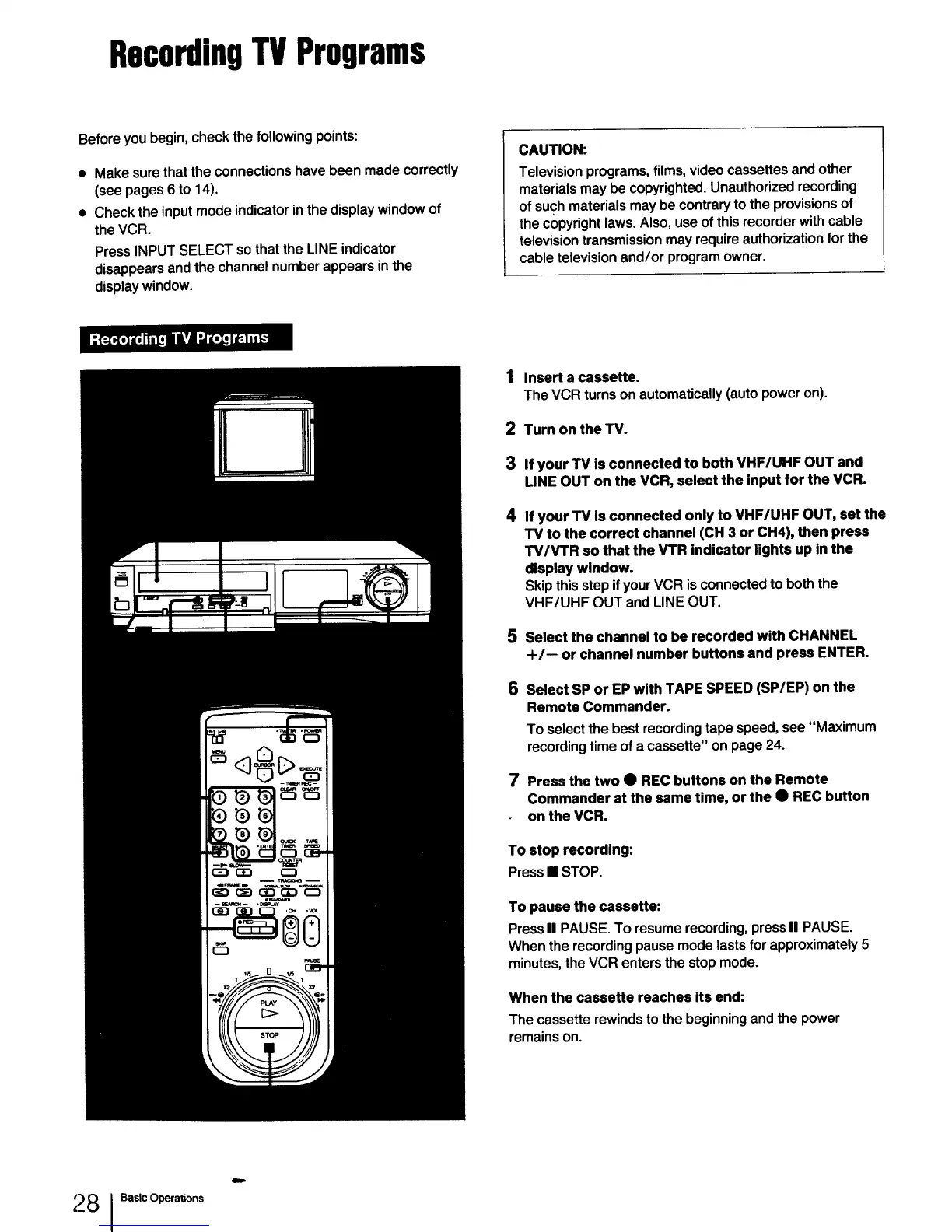
1 Insert a cassette.
The VCR turnson automatically(autopoweron).
2 Turn on the TV.
3 If your TV is connected to both VHF/UHF OUT and
LINE OUT on the VCR, select the input for the VCR.
4
If your "rv is connected only to VHF/UHF OUT, set the
"rv to the correct channel (CH 3 or CH4), then press
TV/VTR so that the VTR indicator lights up in the
display window.
Skip this step ifyour VCR is connected to both the
VHF/UHF OUT and LINE OUT.
S Select the channel to be recorded with CHANNEL
+/-- or channel number buttons and press ENTER.
6 Select SP or EP with TAPE SPEED (SP/EP) on the
Remote Commander.
To select the best recording tape speed, see "Maximum
recording time of a cassette" on page 24.
7 Press the two • RECbuttons on the Remote
Commanderat the same time, or the • REC button
on the VCR.
To stop recording:
Press • STOP.
To pause the cassette:
PressII PAUSE.To resume recording, pressII PAUSE.
Whenthe recordingpausemodelastsfor approximately5
minutes,theVCR entersthestopmode.
Whenthe cassette reaches its end:
The cassetterewinds to thebeginningandthe power
remainson.
2 8 I Basic Operations
Qm=



 To Next Page