Presettingthe ActiveChannels
This VCR is capable of receiving VHF channels 2 to 13, UHF
channels 14 to 69 and CATV channels 1 to 125. These
channels can be preset using the Remote Commander and
the TUNER PRESET display. First, we recommend that you
preset the active channels in your area using the automatic
preset mode. Then, if there are any unwanted channels,
disable them manually. If you have already decided which
channels you wish to preset on the VCR, set them directly
using the channel number buttons.
Before presetting channels, check the following points:
• Turn ON the VCR and theIV.
• Ifyou have connected the TV and the VCR using the
VHF/UHF OUT on the VCR only, make sure that the TV is
set to the correct channel (CH 3 or CH 4) for the VCR.
Ifyou have connected the "IV and the VCR using the LINE
OUT, select the input for the VCR.
• Press TV/VTR so that the VTR indicator lights up in the
display window on the VCR.
• Press INPUT SELECT so that a channel number appears
in the displaywindow on the VCR.
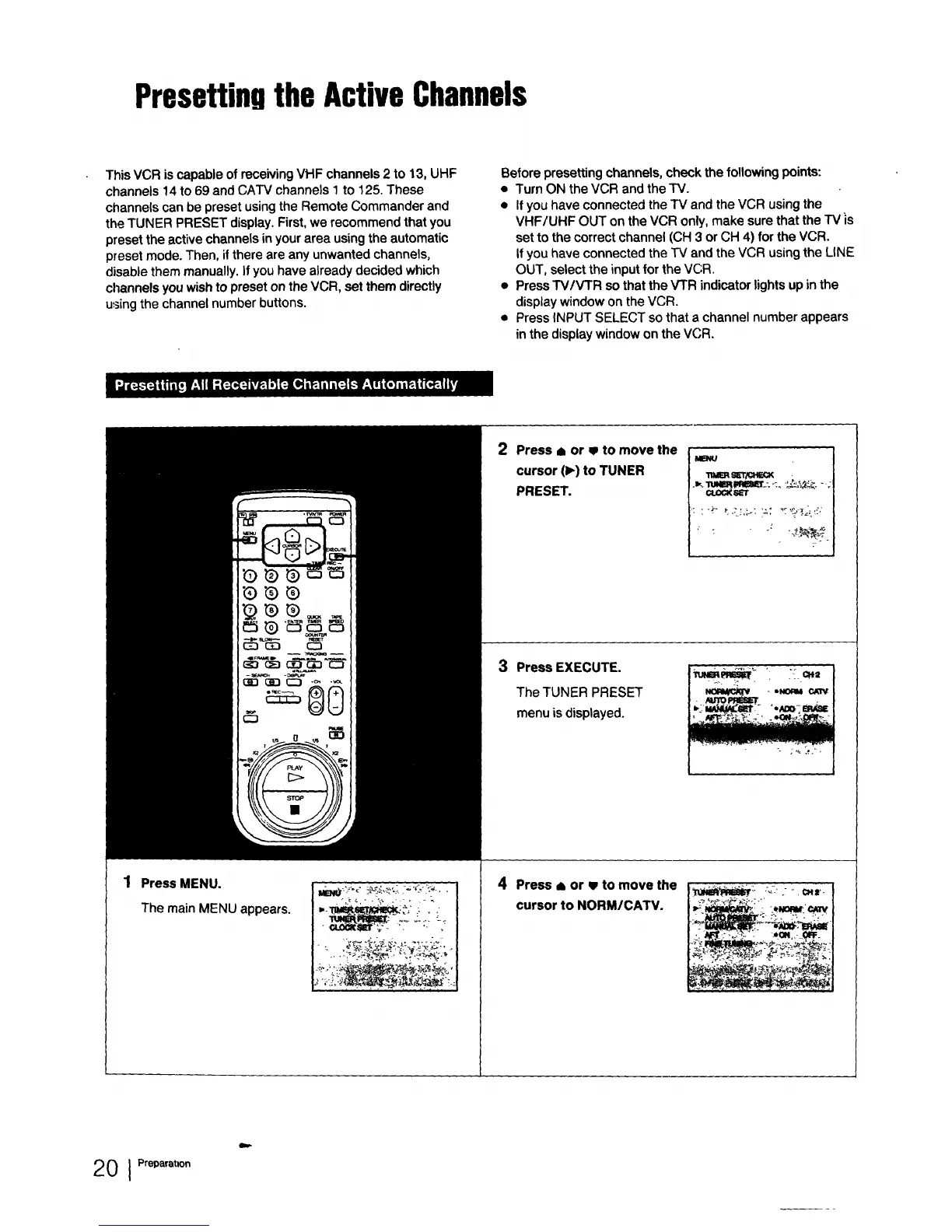
Press MENU.
The main MENU appears.
2
4
Press a or w to move the
cursor (1_)to TUNER
PRESET.
MENU
ws_r/or=_
Press EXECUTE.
The TUNER PRESET
menu is displayed.
Press ,= or w to move the
cursor to NORM/CATV.
20 I Preparatl°n



 To Next Page