TimerRecording
32
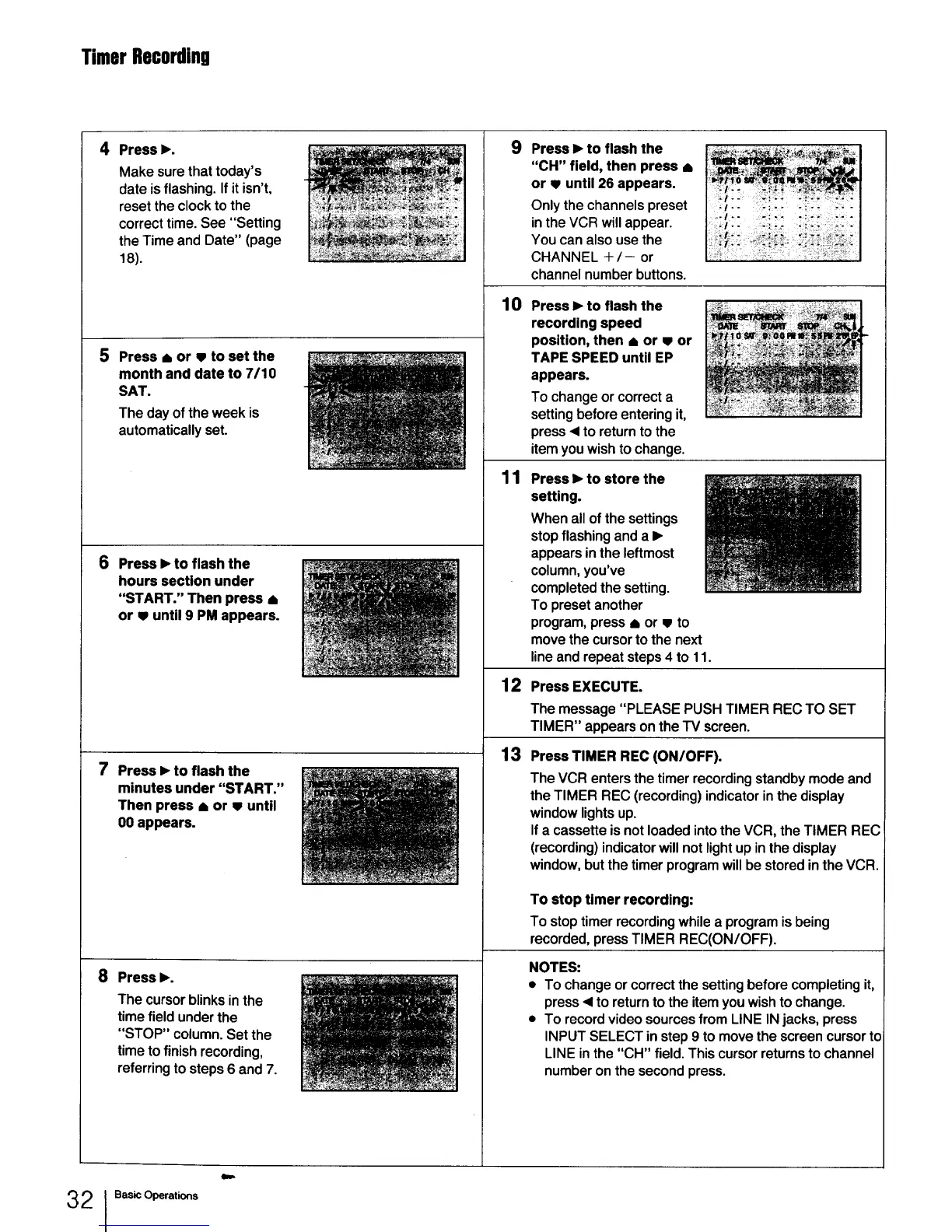
4 Press I_.
Make sure that today's
date is flashing. If it isn't,
reset the clock to the
correct time. See "Setting
the Time and Date" (page
18).
5
Press • or w to set the
month and date to 7/10
SAT.
The day of the week is
automatically set.
6 Press I_to flash the
hours section under
"START." Then press •
or • until 9 PM appears.
7 Press I_ to flash the
minutes under "START."
Then press • or w until
00 appears.
8 Press I_.
The cursor blinks in the
time field under the
"STOP" column. Set the
time to finish recording,
referring to steps 6 and 7.
9 Press I_ to flash the
"CH" field, then press •
or v until 26 appears.
Only the channels preset
in the VCR will appear.
You can also use the
CHANNEL +/- or
channel number buttons.
10 Press I_ to flash the
recording speed
position, then • or • or
TAPE SPEED until EP
appears.
To change or correct a
setting before entering it,
press ,4 to return to the
item you wish to change.
11 Press I_ to store the
setting.
When all of the settings
stop flashing and a I_
appears in the leftmost
column, you've
completed the setting.
To preset another
program, press • or • to
move the cursor to the next
line and repeat steps 4 to 11.
12 Press EXECUTE.
The message "PLEASE PUSH TIMER REC TO SET
TIMER" appears on the IV screen.
13
Press TIMER REC(ON/OFF).
The VCR entersthe timer recordingstandbymodeand
theTIMER REC (recording)indicatorinthedisplay
windowlightsup.
Ifa cassetteisnotloadedintothe VCR,the TIMER REC
(recording)indicatorwillnotlightupinthe display
window,butthetimerprogramwillbe storedinthe VCR.
To stop timer recording:
To stoptimerrecordingwhilea programis being
recorded,pressTIMER REC(ON/OFF).
NOTES:
• To change or correct the setting before completing it,
press <1to return to the item you wish to change.
• To record video sources from LINE IN jacks, press
INPUT SELECT in step 9 to move the screen cursor to
LINE in the "CH" field. This cursor returns to channel
number on the second press.
I Basic Operations



 To Next Page