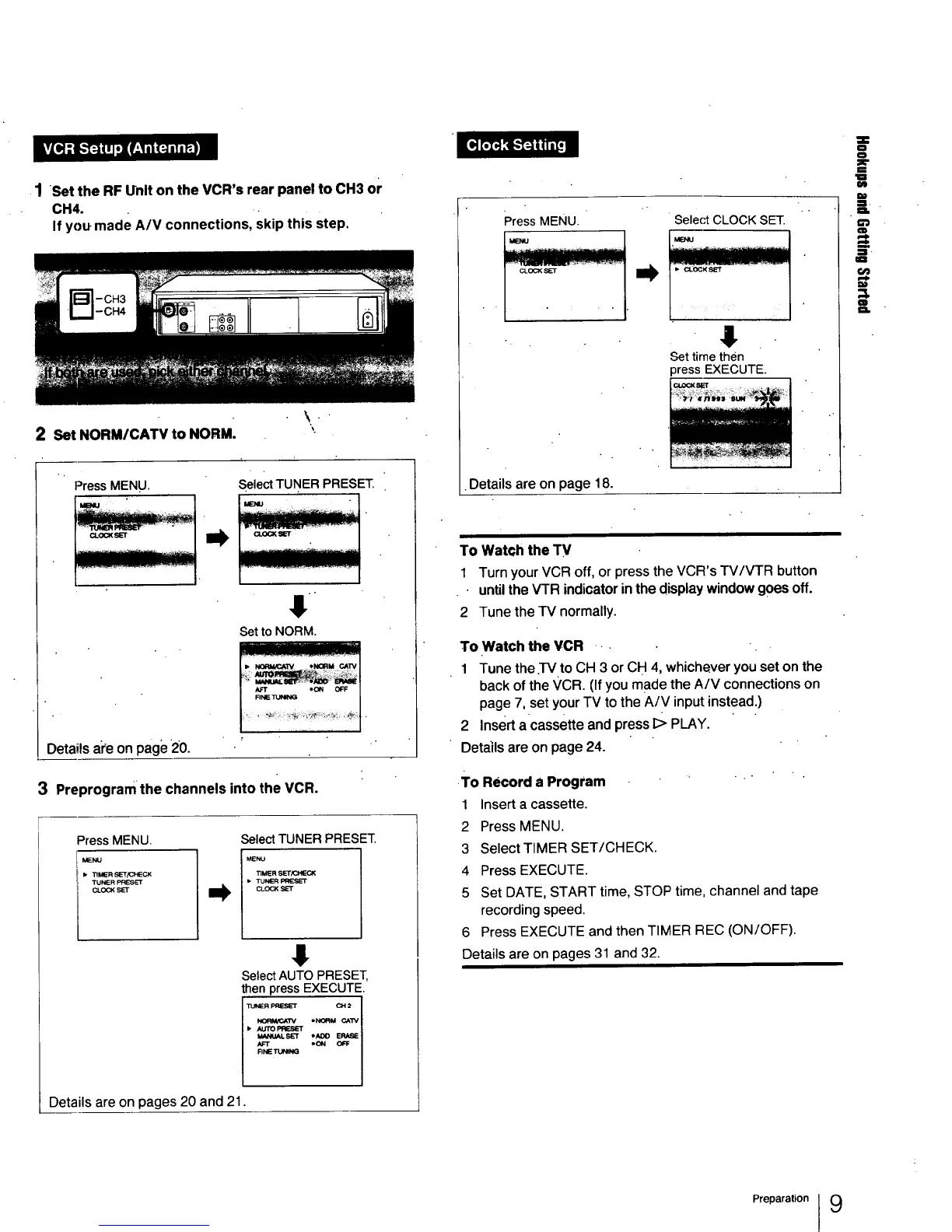
•1 Set the RF Unit on the VCR's rear panel to CH3 or
CH4.
If you made A/V connections, skip this step.
qmlmtlRmmm
2SetNORM/CATVtoNORM.
'\
Press MENU.
Select TUNER PRESET.
Set to NORM.
Detailsale onpage 20.
3 Preprogram the channels into the VCR.
PressMENU.
Select TUNER PRESET.
TIMERSET/CHECK
• TUNER
CLOCK
8
Select AUTO PRESET,
then press EXECUTE.
• A_ PP_SE'r
Details are on pages 20 and 21.
Press MENU.
1-
Select CLOCK SET.
J
Set time then
press EXECUTE.
•Details are on page 18.
To Watch the TV
1 Turn your VCR off, or press the VCR's TV/VTR button
untilthe VTR indicator in the display window goes off.
2 Tune the TV normally.
To Watch the VCR •
1 Tune the.l-V to CH 3 or CH 4, whichever you set on the
back of the VCR. (If you made the A/V connections on
page 7, set your TV to the A/V input instead.)
2 Insert a cassette and press I> PLAY.
Details are on page 24.
•To Record a Program " "
1 Insert acassette.
2 Press MENU.
3 Select TIMER SET/CHECK.
4 Press EXECUTE.
5 Set DATE, START time, STOP time, channel and tape
recording speed.
6 Press EXECUTE and then TIMER REC (ON/OFF).
Details are on pages 31 and 32.
=
=
.ll.
U'J
O
==,
Preparation I 9



 To Next Page